




IK Multimedia AXE I/O

In stock
- 2-in/5-out USB interface designed from the ground up for guitar and bass
- Z-Tone variable impedance, from 1 MOhm down to 2.2 kOhm
- Switchable PURE, JFET and ACTIVE instrument preamp modes
- Dedicated low-noise Amp Out for re-amping and TONEX Tone Modelling
- Two Class-A mic preamps, MIDI I/O and two pedal/switch inputs
- Up to 24-bit/192 kHz with up to 117 dB dynamic range
$439 $739
In stock
The IK Multimedia AXE I/O is a 2-in/5-out USB audio interface built specifically for guitarists and bassists who record at home or in a project studio. Instead of treating your guitar like any other line source, it gives you control over how the input reacts to your pickups, plus a proper re-amping output, a tuner and hands-free control of your amp simulator, all in one metal desktop unit.
An instrument input that changes how your guitar feels
Most audio interfaces give you a fixed Hi-Z input and leave it there. The AXE I/O’s main instrument channel lets you choose between three circuit types:
- PURE: a clean, transparent preamp that adds no colour.
- JFET: a Class A JFET buffer that adds subtle harmonics and a little midrange warmth, closer to the feel of plugging into an amp.
- ACTIVE: a lower-gain path (10 kOhm input) that suits active pickups and keeps the signal clean.
On top of that sits Z-Tone, IK’s variable impedance control. Your pickups sound different depending on what they are plugged into: a typical amp input presents around 1 MOhm, while many pedals load the guitar much more heavily. Z-Tone lets you sweep from 1 MOhm, which sounds tighter and brighter, down to 2.2 kOhm, which sounds rounder and thicker. In practice it works a lot like a tone control that acts before the converter, so you can shape a DI track to sit in a mix before you reach for EQ.
Re-amping and Tone Modelling without extra boxes
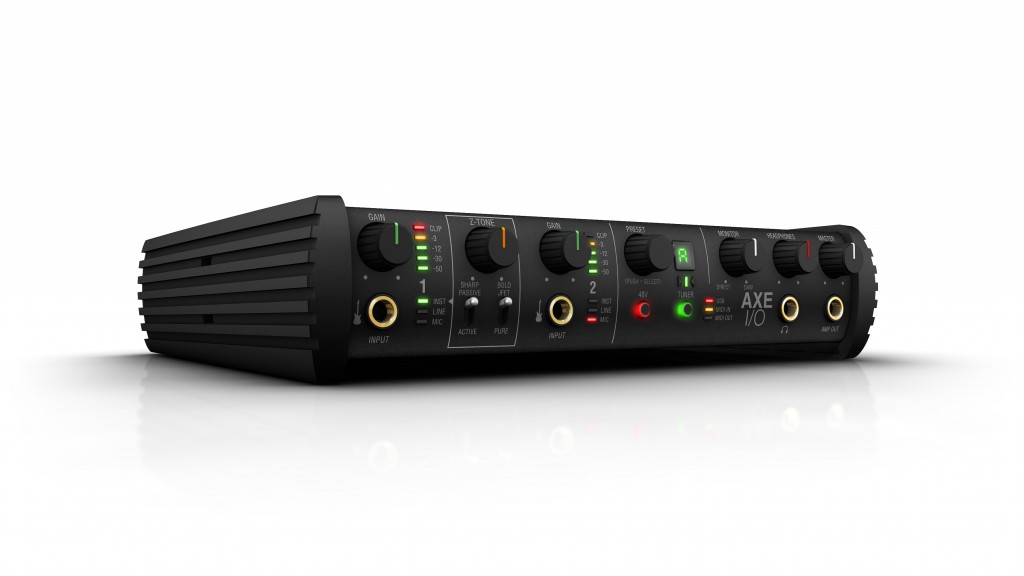
The front-panel Amp Out is a floating, unbalanced output with selectable ground lift, designed to feed a real guitar amp or pedal at the right level. That means you can record a clean DI track, then send it back out to an amp later and try different amps, settings or mic positions without asking the player to perform the part again. Normally this needs a dedicated re-amp box; here it is built in.
The same output is what you need to build your own Tone Models in TONEX for Mac/PC: send the test signal to your amp, mic the speaker through one of the AXE I/O’s mic inputs and let the software capture it. With Control Panel v1.1.0 you can also route instrument input 1 straight to the Amp Out, so you record the DI and the amplified sound at the same time with zero latency.
A full studio interface, not just a guitar box
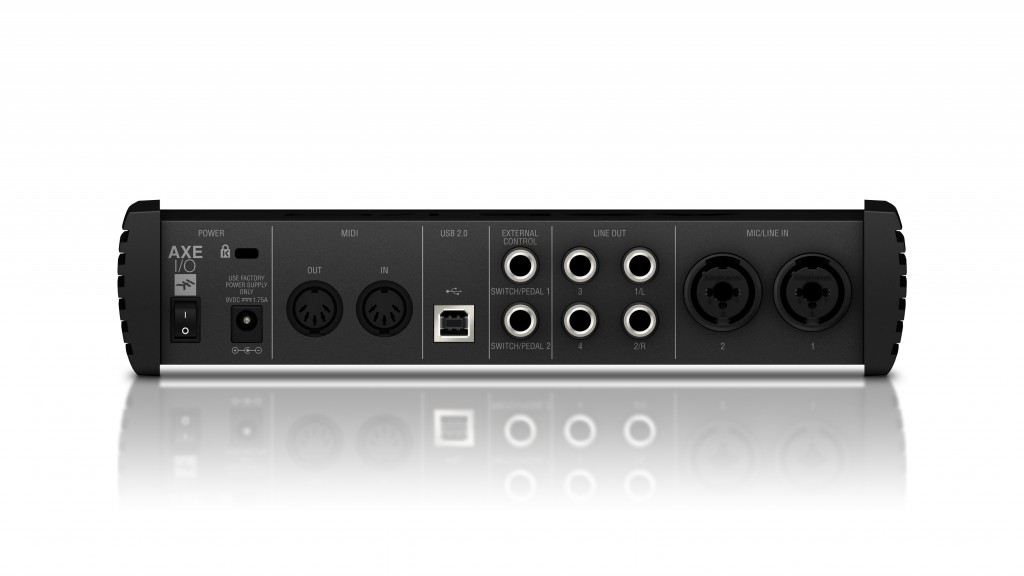
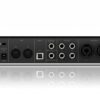
Around the back you get two combo inputs with Class-A discrete mic preamps and +48V phantom power, so vocals, acoustic guitar and miked cabinets are covered. The mic inputs have a flat 5 Hz to 32 kHz response and 116 dB(A) dynamic range. Outputs include a balanced pair for studio monitors (up to +21 dBu), a second unbalanced pair that can mirror the main outputs, and a headphone output rated at roughly 180 mW into 50 ohms. A Monitor knob blends the direct input signal with playback from your computer for latency-free tracking.
Hands-free control of your amp sim
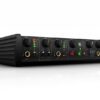
The push encoder on the front scrolls and loads AmpliTube presets, and can be assigned to any MIDI CC for other software. Two rear TRS inputs accept expression pedals or single/double footswitches, so you can run wah, volume or preset changes with your feet. There are also standard 5-pin MIDI In and Out ports for floor controllers, keyboards and other MIDI gear, plus a built-in tuner that can mute the inputs while you tune.
Who is the AXE I/O for?
It suits guitarists and bassists who record DI parts regularly, use amp simulators like AmpliTube or TONEX, want to re-amp or capture their own amp tones, and need two good mic inputs for vocals or cabs. It is also a good fit for players who want to control guitar plug-ins with pedals rather than a mouse.
It is less suited to anyone who needs more than two simultaneous inputs (for example, miking a drum kit), or someone who wants a bus-powered interface for a laptop on the go: the AXE I/O runs from its included DC power supply.
AXE I/O vs AXE I/O ONE
IK also makes the smaller AXE I/O ONE. It keeps the JFET input and Z-Tone, has a single instrument input and one XLR mic input with phantom power, and costs considerably less. The full AXE I/O adds a second instrument input, two mic preamps, the PURE/JFET/ACTIVE triple topology, the dedicated Amp Out for re-amping, MIDI I/O, two controller inputs, the preset knob and the tuner. If you only record one source at a time and don’t need re-amping, the ONE may be enough; if you want the re-amp workflow and pedal control, the AXE I/O is the one to get.
Key Features
- 2 in / 5 out USB 2.0 audio and MIDI interface
- Triple topology instrument input: PURE, JFET and ACTIVE
- Z-Tone variable impedance from 1 MOhm to 2.2 kOhm
- Second Hi-Z instrument input on the front panel
- Two Class-A discrete mic/line combo inputs with +48V phantom power
- Dedicated Amp Out with ground lift for re-amping and Tone Modelling
- Balanced monitor outputs plus a second line output pair
- High-current headphone output with independent level
- Assignable preset encoder, built-in tuner, two pedal/switch inputs
- 5-pin MIDI In and Out
- 24-bit conversion at up to 192 kHz
- Rugged metal housing, external DC power supply included
FAQ
Is the AXE I/O USB bus-powered?
No. It connects to your computer over USB 2.0 for audio and MIDI, but it is powered by the external DC power supply that comes in the box.
Can I use it for vocals and acoustic instruments, not just guitar?
Yes. The two rear combo inputs have Class-A mic preamps with phantom power, so condenser and dynamic microphones work as they would on any quality interface.
Does it work with active pickups?
Yes. Switch the pickup selector to ACTIVE and the input changes to a 10 kOhm path that avoids unnecessary gain stages, which keeps hot active pickups clean.
Do I need a separate re-amp box?
No. The front-panel Amp Out is designed to drive a guitar amp or pedals directly, with a ground lift to help avoid hum.
Do I have to use AmpliTube?
No. The AXE I/O works as a standard interface with any DAW on Mac or Windows. The preset knob and the two controller inputs can be assigned to MIDI CC numbers, so you can control other amp sims and plug-ins too.
What software comes with it?
IK currently lists AmpliTube 5 SE and TONEX SE as the included software, along with the AXE I/O Control Panel for routing, phantom power and controller settings.
| Weight | 2 kg |
|---|---|
| Dimensions | 29.9 × 25.6 × 13.2 cm |
| brands | Ik Multimedia |
Specifications
| Specification | Details |
|---|---|
| Type | USB audio and MIDI interface |
| Inputs / Outputs | 2 in / 5 out |
| Conversion | 24-bit A/D and D/A |
| Sample rates | 44.1, 48, 88.2, 96, 176.4, 192 kHz |
| Connection | USB 2.0, Type-B socket |
| Instrument inputs | 2 x 1/4″ (front) |
| Instrument input 1 | PURE / JFET / ACTIVE, Z-Tone 1 MOhm to 2.2 kOhm (Passive), 10 kOhm (Active) |
| Instrument input 2 | Hi-Z, 1 MOhm |
| Instrument dynamic range | 117 dB(A) |
| Mic/line inputs | 2 x combo XLR/TRS (rear), Class-A discrete |
| Mic input impedance | 4 kOhm |
| Mic dynamic range | 116 dB(A) |
| Mic frequency response | 5 Hz to 32 kHz (±0.5 dB at 96 kHz) |
| Phantom power | +48V |
| Line outputs 1-2 | 2 x 1/4″ TRS balanced floating, +21 dBu max |
| Line outputs 3-4 | 2 x 1/4″ TRS unbalanced, +16 dBu max |
| Amp output | 1/4″ unbalanced floating, with ground lift |
| Headphone output | 1/4″, +12 dBu into 50 ohm (approx. 180 mW) |
| Controller inputs | 2 x 1/4″ TRS (expression pedal or single/double switch) |
| MIDI | 5-pin DIN In and Out |
| Built-in tuner | Yes |
| Power | External DC power supply (included) |
| Enclosure | Metal |
| Dimensions | 238 x 211 x 53 mm |
| Weight | 1.3 kg |
| Compatibility | macOS 10.11 or later, Windows 10 or later (64-bit) |
| In the box | AXE I/O, USB A-to-B cable (1.5 m), DC power supply |
Related products
-
Audio Interfaces
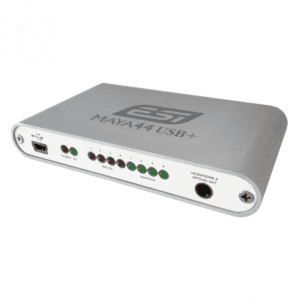
ESI MAYA44 USB+ 4-in/4-out USB Audio Interface
- 4 RCA Inputs and 4 RCA Outputs
- Resolutions up to 16-bit/48kHz
- Combination S/PDIF and Headphone Output
- USB Bus-Powered
- Rugged Aluminum Case
- Bundled with a Deckadance LE License
- Compatible with Pro Audio Software
- Mac and Windows Compatible
SKU: ESIA_MAYA44USB+ -
Audio Interfaces
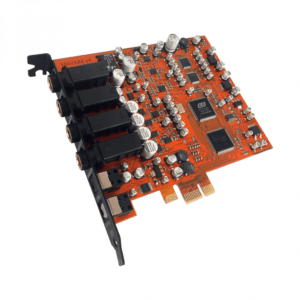
ESI MAYA44 eX 24-bit/96kHz PCIe Audio Interface with 4 in / 4 out
- Two Stereo 1/4″ Inputs and Outputs
- Resolutions up to 24-Bit/96 kHz
- Microphone Input with +48V Phantom Power
- Hi-Z Guitar Input
- Headphone Output
- Optical S/PDIF Input and Output
- Bundled with a Deckadance LE License
- Includes inTone 2 ESI Edition Software
- Plug-Ins: ampLion Free and GK Amp 2 LE
- Mac and Windows Compatible
SKU: ESIA_MAYA44EX -
Audio Interfaces
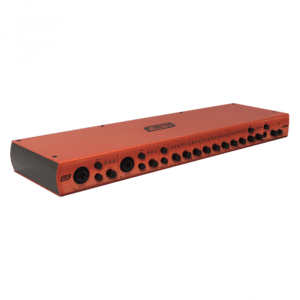
ESI U108 PRE 24-bit USB Audio Interface with 10 Microphone Preamps / 8 Outputs
- High-Speed USB 2.0 Computer Interface
- Up to 24-Bit / 96 kHz Resolution
- 10 x Mic Preamps with Phantom Power
- 2 x XLR-1/4″ Inputs with Hi-Z Switches
- 8 x XLR 3-Pin Microphone Inputs
- 8 x 1/4″ TRS Line Outputs
- 2 x 1/4″ Mix Outputs, 1/4″ Headphone Out
- Power, 48 VDC & Input Level LEDs
- Includes Power Adapter & USB Cable
- Compatible with Mac & Windows Computers
SKU: ESIA_U108PRE -
Audio Interfaces
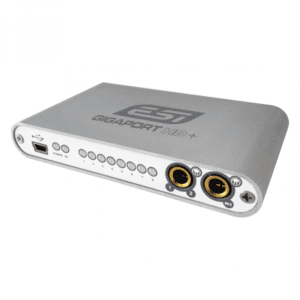
ESI GIGAPORT HD+ High Quality 24-bit 8-out USB Audio Interface
- 8 RCA Outputs plus 2 Headphone Outputs
- Resolutions up to 24-bit/96kHz
- Full 7.1 Surround Sound Support
- USB Bus-Powered
- Rugged Aluminum Case
- Bundled with a Deckadance LE License
- Compatible with Pro Audio Software
- Mac and Windows Compatible
SKU: ESIA_GIGAPORTHD