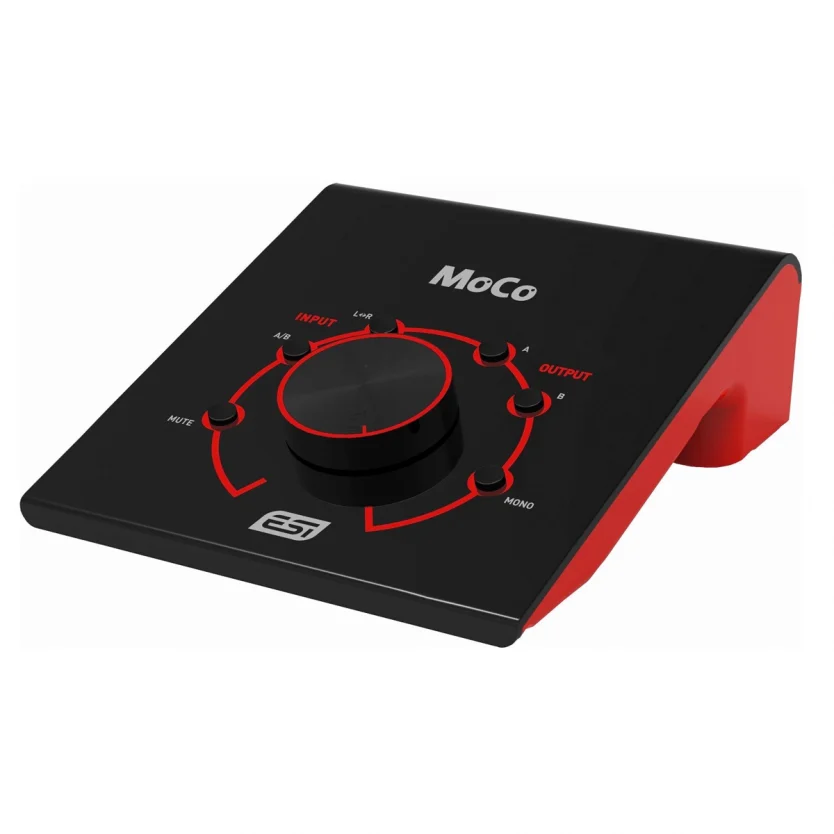
ESI MoCo Passive Monitor Controller with 2 Stereo I/O

In stock
- Fully passive monitor controller: no power supply, no active circuitry in the signal path
- Switch between 2 stereo sources: balanced TRS, or RCA / 3.5 mm
- Feed 2 pairs of monitors, one at a time or both together
- Mono, mute and L/R swap buttons for fast mix checks
- Large centre volume knob so you stop reaching for the interface
$139
In stock
The ESI MoCo is a fully passive studio monitor controller that puts one large volume knob between your audio interface and your speakers, and lets you switch between two stereo sources and two pairs of monitors. It suits home and project studios, producers running active monitors straight from an interface, and anyone who wants quick mono and mute checks without adding another powered box to the desk.
Why choose a passive monitor controller?
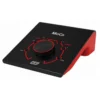
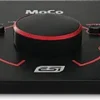
Many audio interfaces have a small output knob, and many active monitors hide their volume control on the back panel. The MoCo moves that job to a large knob in the centre of your desk. It has no active components and needs no power supply: the signal passes only through a selected high-quality potentiometer and switches, with no extra amplifier stage added to your monitoring path.
A passive design does have limits. It can only turn the level down, never up, and it does not convert unbalanced signals to balanced. Whatever goes in comes out in the same format. In practice, that means you set your interface output to a healthy level and let the MoCo handle the attenuation.
Two inputs, two outputs
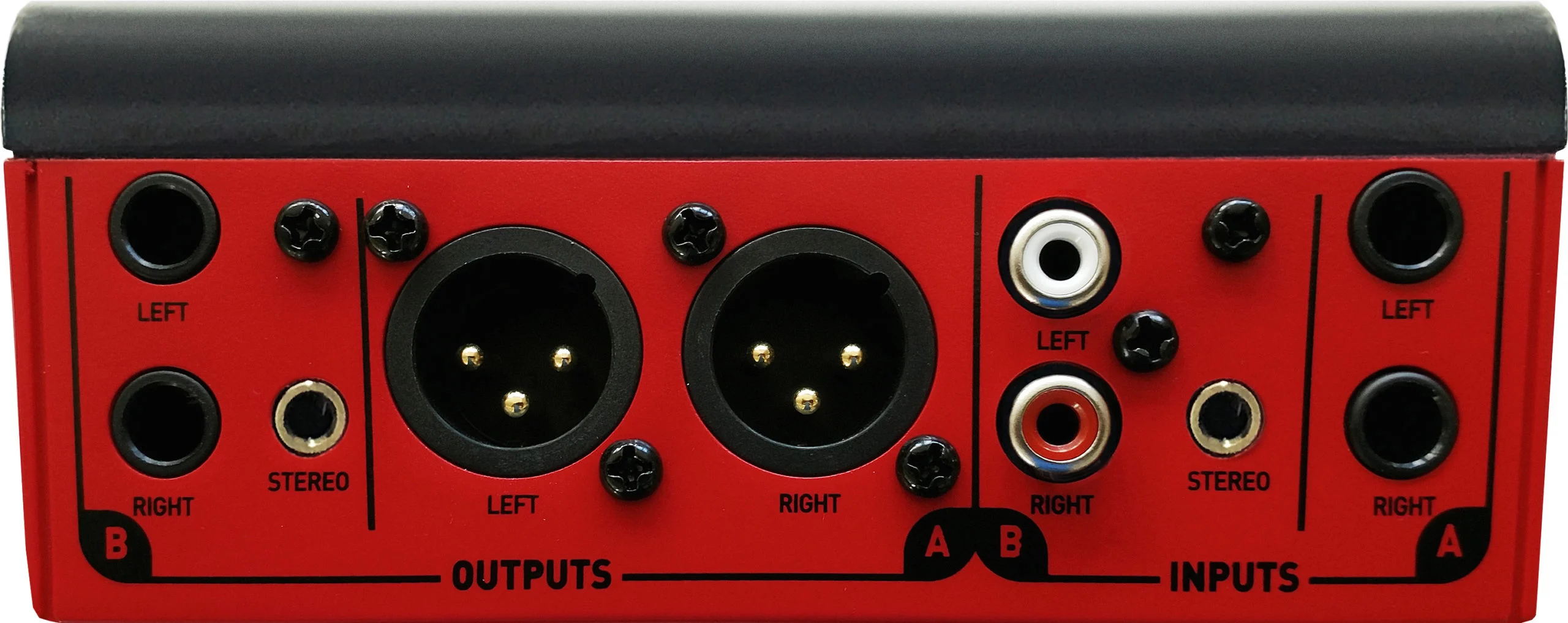
Input A: balanced 1/4″ TRS
A pair of balanced 6.35 mm TRS jacks for the main outputs of your audio interface. This is the input most people will use for mixing.
Input B: RCA and 3.5 mm mini jack
Unbalanced RCA sockets plus a stereo 3.5 mm mini jack for a second source, such as a laptop, a phone, a second computer or a turntable with a line-level output. An A/B switch on the front selects which input you hear.
Output A: balanced XLR
Male XLR outputs for your main pair of studio monitors, using standard XLR cables.
Output B: 1/4″ TRS and 3.5 mm mini jack
Balanced/unbalanced 6.35 mm TRS jacks plus a stereo 3.5 mm mini jack for a second pair of speakers, a small reference speaker, or a headphone amplifier.
Outputs A and B each have their own button, so you can run either pair on its own or both together, and compare your mix on two sets of speakers at the press of a button.
Mono, mute and L/R swap
The Mono button sums the left and right channels, so you can check how a mix holds up on phones, smart speakers and other single-speaker playback. Mute cuts the output instantly, which is useful when plugging in cables or answering the phone. L/R swap flips the left and right channels, a quick way to confirm your wiring is correct or to work out whether a stereo imbalance comes from the mix or from your room and speaker placement.
Who is the ESI MoCo for?
- Home studio owners who control their active monitors from a small interface knob or the speakers’ rear panel
- Producers who want to compare a mix on two sets of speakers
- Anyone sharing one pair of monitors between two computers, or between an interface and a laptop or phone
- Musicians who want mono and mute checks without paying for a larger powered controller
Who should look elsewhere?
The MoCo has no built-in headphone amplifier, talkback, dim button, metering or subwoofer control, and it has no level trim per output. If you need any of those, or more than two sources or two pairs of speakers, a larger controller is a better fit.
ESI MoCo vs ART SCC
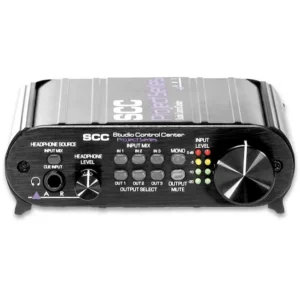
If you need more routing, the ART SCC handles up to three stereo sources (which you can select or blend), up to three pairs of monitors or monitors plus a subwoofer, a separate cue input for an independent headphone mix, and input and output trims for matching speaker levels. The MoCo is the simpler, lower-cost option for a typical two-source, two-speaker desk. Browse both in our monitor controllers range.
Setup tips
- Plan your cables first: TRS-to-TRS from the interface into Input A, and XLR cables from Output A to your active studio monitors.
- Set the monitors’ rear volume controls once and leave them, set your interface output high, and use the MoCo for everyday volume.
- Because there are no per-output trims, match the loudness of two speaker pairs using each pair’s own level control.
- Turn the knob down before switching between sources or outputs.
Key Features
- Fully passive design: no power supply, no active components
- Selected high-quality potentiometer with a large centre volume knob
- Input A: 2 x balanced 1/4″ TRS
- Input B: 2 x unbalanced RCA plus 1 x stereo 3.5 mm mini jack
- Output A: 2 x balanced XLR
- Output B: 2 x balanced/unbalanced 1/4″ TRS plus 1 x stereo 3.5 mm mini jack
- A/B input selection switch
- Independent A and B output buttons, usable together
- Mono downmix, mute and L/R swap buttons
ESI MoCo FAQ
Does the ESI MoCo need power?
No. It is fully passive, so there is no power supply, no power switch and no power outlet needed on your desk.
Can I plug headphones into the MoCo?
You can take a signal from the 3.5 mm jack on Output B, but the MoCo has no headphone amplifier of its own, so many headphones will not get loud enough. For proper headphone level, connect Output B to one of our headphone amplifiers.
Can I connect a computer without an audio interface?
Yes. Connect the computer’s 3.5 mm headphone output to the 3.5 mm jack on Input B. For the best results, most studios run an audio interface into the balanced Input A.
Will the MoCo turn an unbalanced source into a balanced signal?
No. The MoCo does not convert signals. An unbalanced source on Input B stays unbalanced, even when it leaves through the XLR outputs.
Can I use both pairs of monitors at the same time?
Yes. Outputs A and B have independent buttons, so you can run one pair, the other, or both together.
Will a passive controller change my sound?
There are no active components in the MoCo’s signal path, so it adds no amplification stage of its own. It only attenuates the level and routes the signal.
Why buy from 10dB
10dB is an Australian online audio store. Orders leave the warehouse the same day they are placed and ship with Australia Post, usually arriving within 3 to 5 days. You can pay with PayPal, Afterpay, Zip, Google Pay or card, with no card surcharge. Have a question before you buy? Call 1300 755 540 or email support@10db.com.au.
| Weight | 0.62 kg |
|---|---|
| Dimensions | 22.9 × 14.9 × 8.3 cm |
| brands | Esi Audiotechnik |
Specifications
| Specification | Details |
|---|---|
| Type | Passive stereo monitor controller |
| Power | None required (fully passive) |
| Input A | 2 x balanced 1/4″ (6.35 mm) TRS |
| Input B | 2 x unbalanced RCA, 1 x stereo unbalanced 3.5 mm mini jack |
| Output A | 2 x balanced XLR (male) |
| Output B | 2 x balanced/unbalanced 1/4″ (6.35 mm) TRS, 1 x stereo unbalanced 3.5 mm mini jack |
| Volume control | Passive potentiometer, large |
Related products
-
Monitor Controllers
ART SCC Project Series Studio Control Center Monitor Controller
- Select or blend up to 3 stereo sources
- Switch between up to 3 pairs of monitors, or monitors plus a sub
- Separate cue input for an independent headphone mix
- Big master volume knob with mute and mono check
- Input and output trims to level-match speaker pairs
- Compact all-metal Project Series case
SKU: ARTP_SCCCE