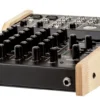
ART TubeMix Five Channel Stereo USB Mixer

In stock
- Assignable 12AX7 tube for warmth on mics or instrument
- Two low-noise mic preamps with switchable +48V phantom power
- 1 MΩ Hi-Z instrument input with built-in amp simulator
- Driver-free USB 2.0 audio for Mac, Windows and Linux
- 3-band EQ and aux sends on every channel
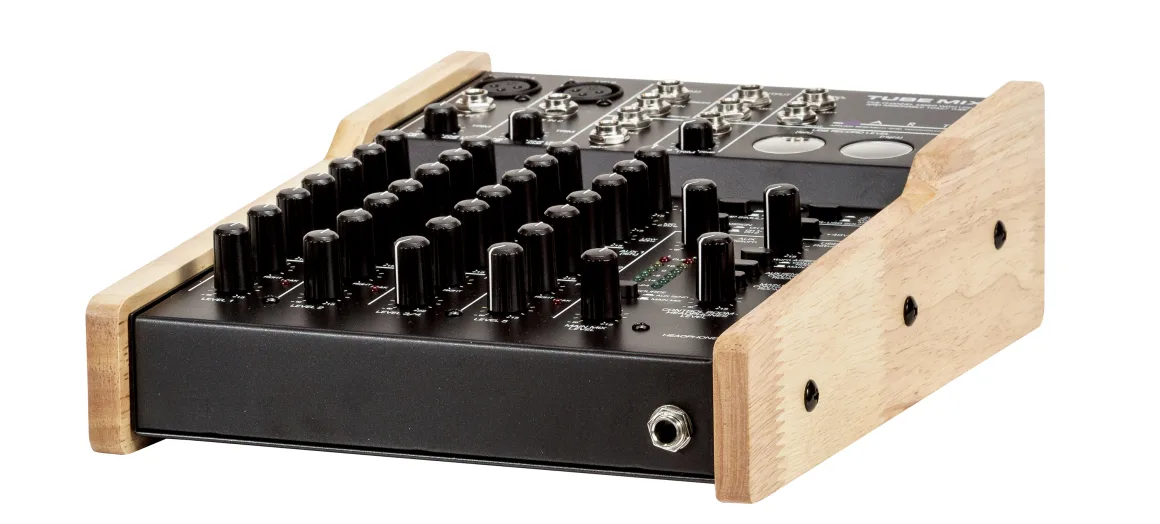
- Vintage VU meters and wooden side panels
$759
In stock
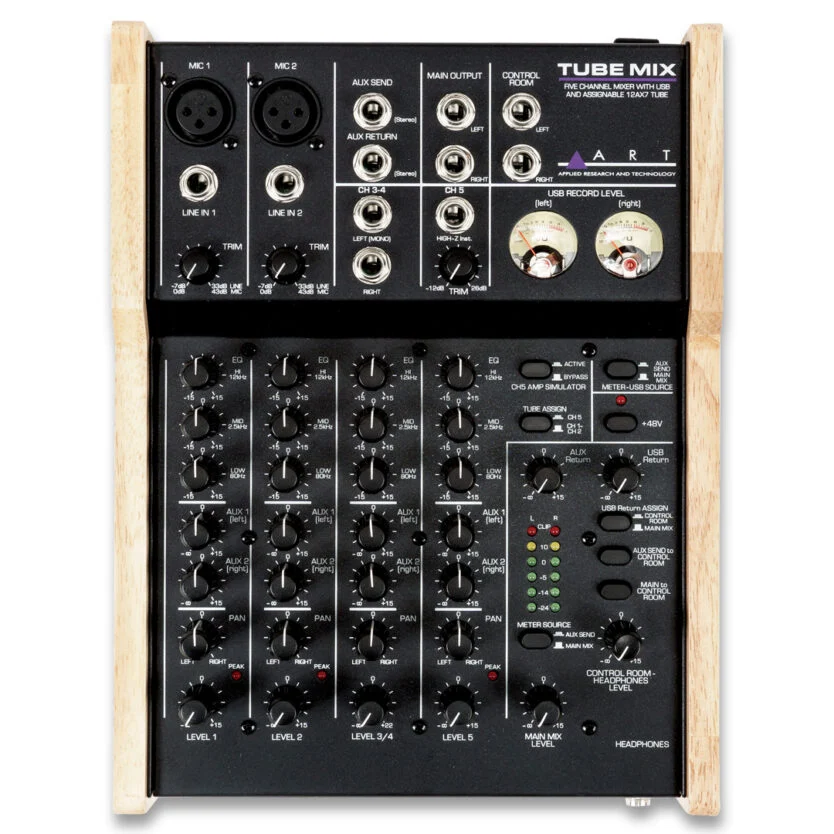
The ART TubeMix is a compact five-channel stereo mixer with a real 12AX7 valve stage and a built-in USB audio interface, made for home studios, singer-songwriters, podcasters and anyone who wants to plug in a couple of microphones and an instrument and record straight to a computer. It handles two mic inputs, a high-impedance instrument input and a stereo line pair at the same time, then sends a stereo mix to your DAW over a single USB cable.
A real 12AX7 tube you can point where you need it
At the heart of the TubeMix is one 12AX7 dual-triode valve. A single switch decides where it works: across the two microphone channels (one half of the tube per channel, so you get a dual-channel tube mic preamp), or stacked on the instrument channel for extra warmth on guitar, bass or keys. The tube sits after the input trim and before the EQ, so you set your gain first and then add colour.
Expect warmth and harmonic character rather than heavy distortion. Reviewers note the tube stage adds very little gain, so it is not designed to overdrive the preamp. Push the channel EQ a little and the tube character becomes more obvious, which is a handy trick on vocals and acoustic guitar.
Two low-noise mic preamps with phantom power
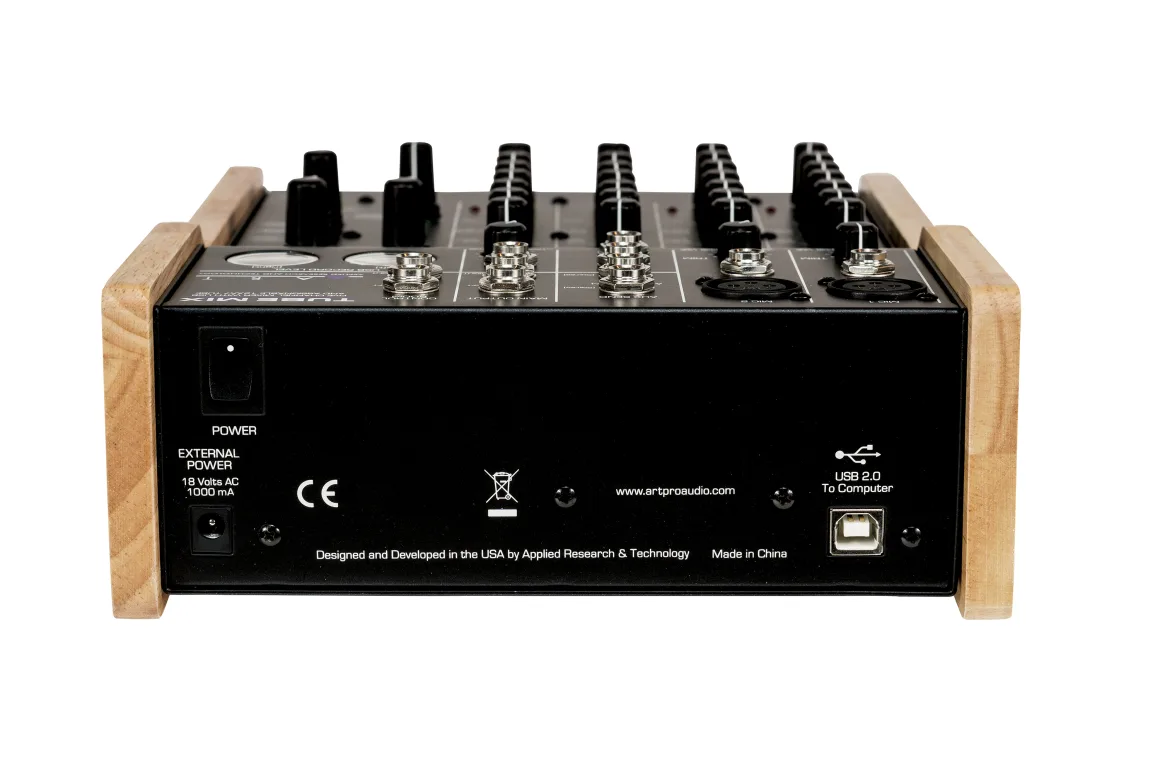
Channels 1 and 2 accept either XLR microphones or line-level jacks, each with its own trim control and clip LED. Switchable, filtered and current-limited +48V phantom power covers condenser microphones, so you can run a studio condenser on vocals and a dynamic on guitar amp or a second voice. The mic preamps have an equivalent input noise of -127 dBu (C-weighted) and up to 73 dB of gain, enough for most dynamic microphones without an inline booster.
Hi-Z instrument input with amp simulator
Channel 5 is a dedicated 1 MΩ instrument input, so guitars and basses plug straight in without a separate DI box. A switchable amp simulator uses analogue filtering to take the harsh, fizzy edge off a direct guitar signal, especially with overdrive pedals. It is simple compared with modern amp-modelling plug-ins, but it gives you a usable guitar tone to track or monitor through without opening any software.
EQ, aux sends and monitoring
Every channel has a 3-band EQ with ±15 dB of boost or cut: a low shelf at 80 Hz, a fixed mid at 2.5 kHz and a high shelf at 12 kHz. Each channel also has level, pan (balance on the stereo channel) and a stereo pair of pre-fade aux sends. Those aux sends are more useful than they look: use them for a separate headphone or foldback mix, an effects send, or as a dedicated recording feed.
The flexible control room and headphone section lets you monitor the main mix, the USB return from your computer or the aux sends. That means you can record one mix to USB while listening to a different balance on your speakers, or the other way round. Main and control room outputs are balanced 1/4″ TRS jacks, and the headphone output delivers up to 100 mW per channel.
Plug-and-play USB audio
The USB 2.0 interface is class compliant, so it works on modern Windows, macOS and Linux without installing drivers. It records and plays back two channels at 16-bit and either 44.1 kHz or 48 kHz, selected from your computer. A pair of analogue VU meters follows your USB record level, and a six-segment LED meter shows either the main mix or the aux send.
A practical setup tip: if your DAW is also monitoring the input you are recording, do not route the USB return back into the USB output, or you can create a feedback loop. Feed the USB output from the aux sends instead and the problem goes away.
Who is the ART TubeMix for?
- Singer-songwriters who want to record a vocal and guitar together with a little valve warmth.
- Podcasters and streamers running two microphones who prefer hands-on knobs to software mixing.
- Home studio owners who want a small mixer and USB interface in one box on the desk.
- Guitarists and bassists who want to DI straight in with the amp simulator for quiet practice and demos.
It is not the right choice if you need 24-bit recording, individual tracks for each input in your DAW, or more than two microphones. In that case a multi-channel audio interface is a better fit.
ART TubeMix vs the alternatives
Compared with typical small analogue USB mixers: many compact mixers offer similar channel counts and USB audio, but very few at this price include a genuine valve stage you can assign to the mic or instrument inputs. If you do not want tube colour at all, a standard analogue USB mixer will do the same mixing job.
Compared with a standalone tube preamp: a dedicated microphone preamp such as the ART Tube MP gives you more drive and grit from the valve, but only on one source. The TubeMix trades that extra drive for five channels, EQ, monitoring and USB recording in one unit.
Key Features
- Five-channel stereo mixer: 2 mic/line, 1 stereo line pair, 1 Hi-Z instrument
- Assignable 12AX7 tube stage: dual tube mic preamp or stacked on the instrument input
- Switchable +48V phantom power for condenser microphones
- 1 MΩ instrument input with switchable amp simulator
- 3-band EQ, two pre-fade aux sends, pan and level on every channel
- Flexible control room and headphone monitoring of main mix, aux or USB return
- Class-compliant USB 2.0 audio, 2-in/2-out, no drivers needed
- Analogue VU meters plus LED ladder metering
- Steel chassis with wooden side panels
Frequently Asked Questions
Does the ART TubeMix need drivers?
No. It is USB class compliant, so it works with modern Windows, macOS and Linux computers without installing a driver.
Can the TubeMix record each microphone to a separate track?
No. The USB interface sends a stereo (two-channel) signal to your computer. You can route two sources to separate left and right channels with the pan or aux controls, but it is not a multitrack interface.
What bit depth and sample rate does it record at?
16-bit at 44.1 kHz or 48 kHz. That is fine for demos, podcasts and content if you set your levels carefully and leave some headroom.
Can I use the tube on the main mix?
No. The tube can be assigned to the two mic channels or to the instrument channel, but not to the stereo main output.
Will the tube distort my vocals or guitar?
Not much. The 12AX7 stage is designed for warmth and subtle harmonic colour rather than overdrive, and it adds very little gain.
Does it need a power supply, or is it USB powered?
The mixer runs from the included 18 VAC, 1000 mA external power supply. The USB connection handles the audio link to your computer.
| Weight | 3.4 kg |
|---|---|
| Dimensions | 37.8 × 25.4 × 14.2 cm |
| brands | Art Pro Audio |
Specifications
| Specification | Details |
|---|---|
| Channels | 5 (2 mic/line, 1 stereo line pair, 1 Hi-Z instrument) |
| Tube | 1 x 12AX7, assignable to mic channels or instrument input |
| Phantom power | Switchable +48V DC, filtered and current limited |
| Mic input impedance | 3.5 kΩ |
| Line input impedance (CH1, CH2, CH3/4) | 10 kΩ |
| Instrument input impedance (CH5) | 1 MΩ |
| Max input level (CH1/CH2 mic) | +9 dBu |
| Max input level (CH1/CH2 line, CH3/4) | +20 dBu |
| Max input level (CH5) | +16 dBu |
| Max mic gain | 73 dB |
| Max main output | +20 dBu |
| Aux send max output | +20 dBu |
| Headphone output | 100 mW/ch @ 300 Ω, 50 mW/ch @ 32 Ω |
| Frequency response | 20 Hz – 100 kHz, ±1 dB |
| EIN (mic @ max gain) | -127 dBu, C-weighted |
| EIN (instrument @ max gain) | -112 dBu, C-weighted |
| EQ | 3-band: 80 Hz low shelf, 2.5 kHz mid, 12 kHz high shelf, ±15 dB |
| USB | USB 2.0 class compliant, 2-in/2-out, Mac/PC/Linux |
| A/D, D/A | 16-bit, 44.1 kHz or 48 kHz |
| Power supply | 18 VAC, 1000 mA (included) |
| Dimensions (H x W x D) | 84 x 198 x 265 mm |
| Weight | 2.5 kg |
| In the box | TubeMix mixer, power supply, owner’s manual |
Related products
-
Analog & USB Mixers, Audio Interfaces, Mixers, Studio & Recording
ART USBMix6 Six Channel Mixer / USB Audio Interface with Effects
 Analog & USB Mixers, Audio Interfaces, Mixers, Studio & Recording
ART USBMix6 Six Channel Mixer / USB Audio Interface with Effects
- 6 inputs: 2 mic/instrument/line combos plus 2 stereo line pairs
- Switchable +48V phantom power for condenser mics on channels 1 and 2
- 16 built-in stereo effects with per-channel sends
- Class-compliant USB audio for Mac and PC, no driver needed
- High and low EQ on every channel
- Works as a standalone mixer without a computer
SKU: ARTP_USBMIX6CE -
DI Boxes
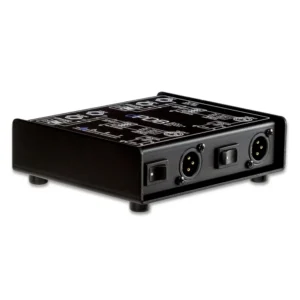
ART dPDB Dual Passive DI Box
- Two passive DI channels in one enclosure
- Ideal for stereo keyboards, DJ mixers and laptops
- Switchable 0, -20 and -40 dB pad on each channel
- Ground lift switch on each channel
- Parallel link jack per channel to feed an amp
- Rugged steel chassis, no power required
SKU: ARTP_dPDB -
DI Boxes
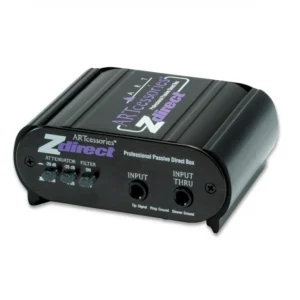
ART ZDirect Passive DI Box
- Fully passive: no batteries or phantom power needed
- Turns unbalanced 1/4″ signals into a balanced XLR output for long cable runs
- Switchable 0, -20 and -40 dB pad for instruments, line and speaker-level sources
- Ground lift, phase invert and a 30 kHz low-pass filter to fight hum and noise
- Thru jack to feed your amp at the same time
- Compact black anodised aluminium case
SKU: ARTP_ZDIRECT -
Microphone Preamps
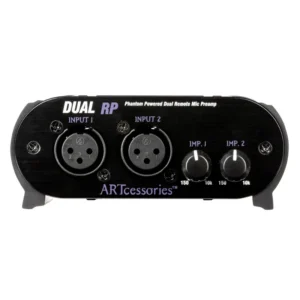
ART Dual RP Two-Channel Inline Preamp for Ribbon and Dynamic Microphones
- Two channels of clean, low-noise gain for dynamic and ribbon mics
- Up to 27 dB gain into 10 kΩ, 20 dB into 600 Ω
- Runs on 48V phantom power, with no batteries or power supply
- Doesn’t pass phantom power on to the mic, protecting ribbons
- Variable input impedance from 150 Ω to 10 kΩ per channel
- Switchable 100 Hz low-cut filter
SKU: ARTP_DRP