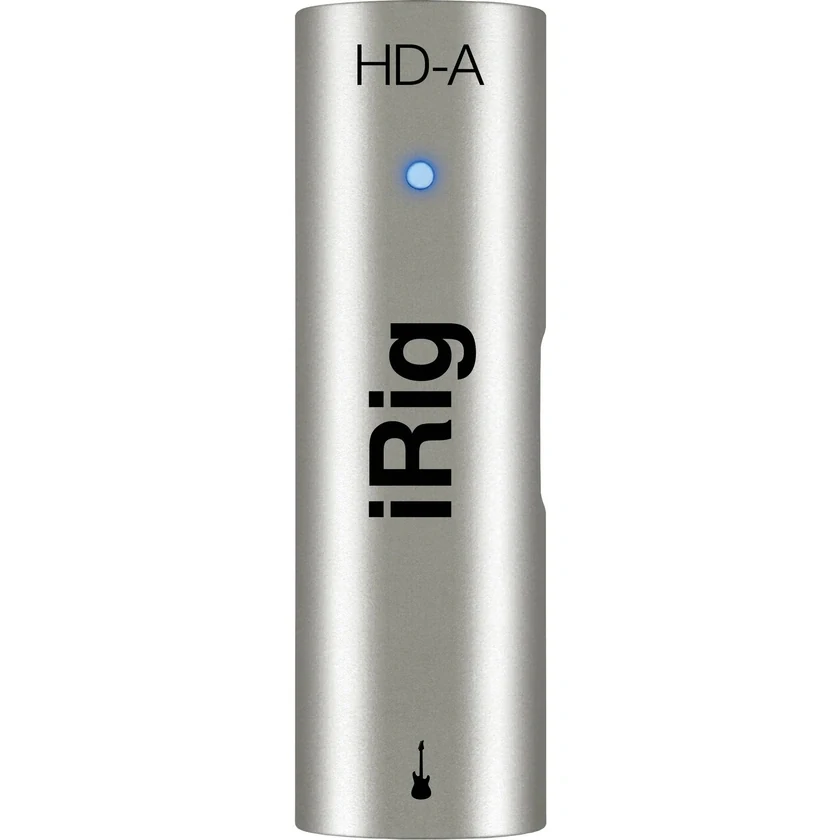
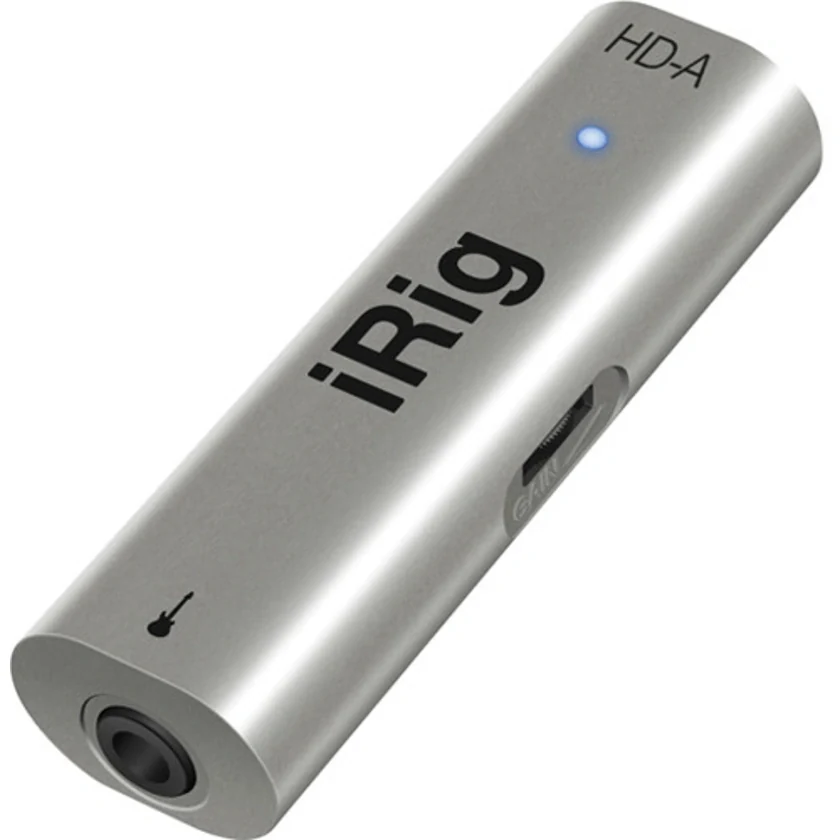
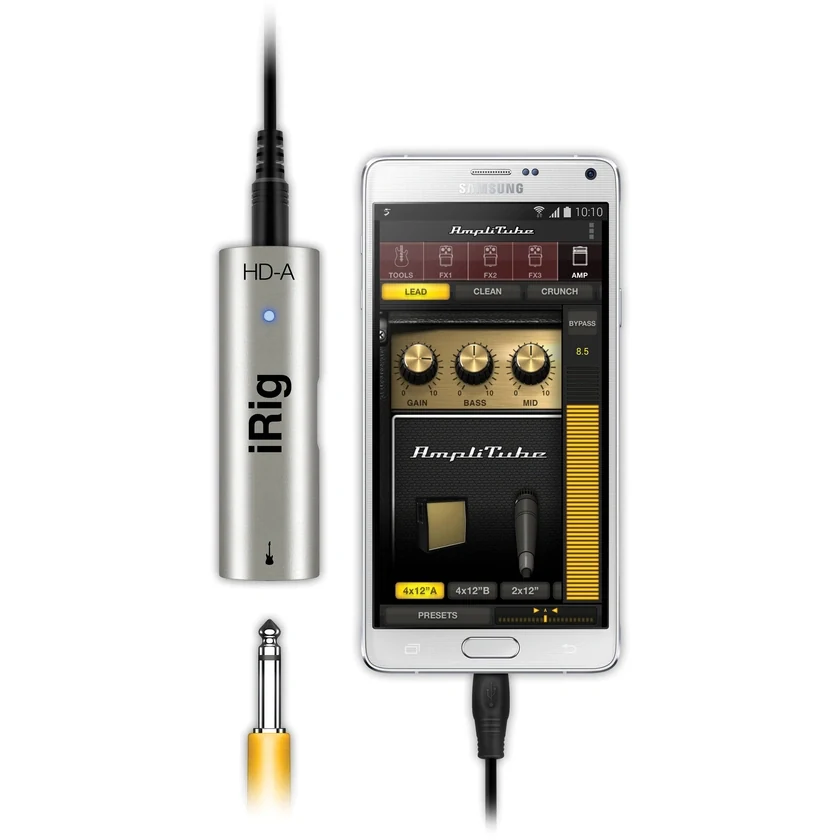
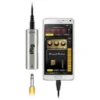
IK iRig HD-A Digital Guitar Interface for Android & PC

In stock
- Digital guitar and bass interface for Android devices and PC
- Instrument-level 1/4″ Hi-Z input with preamp gain control
- 24-bit A/D conversion at 44.1 and 48kHz
- OTG and USB connection cables included (60cm each)
- Powered by your device or USB, no batteries
- Pocket size: 30 x 99 x 21mm, about 35g
$119 $219
In stock
The iRig HD-A is a pocket-sized digital guitar interface that connects an electric guitar or bass to an Android device or a Windows PC. It suits guitarists who want to practise with amp-sim apps, record ideas on the go or jam through headphones, without carrying an amp or a full studio interface.
Check Compatibility Before You Buy
Android audio support varies far more than iOS, so this is the most important part of the page. The iRig HD-A works with Android apps that use USB (OTG) audio input, on devices with a USB OTG connection running Android 5 or later. It was launched with Samsung, and was designed around devices that support Samsung Professional Audio.
- Your device must support USB OTG (it must be able to act as a USB host).
- Your app must accept USB audio input. AmpliTube for Samsung Pro Audio is available from the Samsung Galaxy Store; other real-time apps that support USB/OTG input also work.
- Check the connector. The interface connects through IK’s mini-DIN cables. If your phone or tablet has a USB-C port, IK makes a separate USB-C to mini-DIN cable.
If you use an iPhone, iPad or Mac, this is not the right model. Look at the iRig HD 2 or iRig HD X instead.
24-bit Sound in Your Pocket
A low-noise preamp and a 24-bit A/D converter running at 44.1 or 48kHz capture your instrument cleanly, with a frequency response of 20Hz to 20kHz (±0.2dB), input noise of -97dB RMS and distortion of just 0.005%. The 1/4″ Hi-Z input accepts signals from 330mVpp to 7Vpp, so it handles passive and hotter active pickups.
Set Your Level Properly
An onboard gain control gives you 26dB of range, and a multicolour LED shows the interface status and your signal level. Set the gain so your hardest strumming stays below clipping, then adjust tone and volume in the app. A level that is too low adds noise when you turn it up later; a level that is too high distorts before the amp model.
Android or PC: Two Cables Included
The box includes an OTG cable for Android devices and a USB cable for computers, both 60cm long, so the same interface moves between your phone and your desk. It draws power from the connected device or USB port, so there are no batteries or power adapters. On Windows, IK lists support through the ASIO4ALL driver, and AmpliTube Custom Shop for PC is a free download from IK.
How to Get Started
- Connect the iRig HD-A to your device with the right cable and launch your app.
- Plug in your guitar or bass and set the gain while playing your loudest part.
- Listen through your device’s headphone output or a connected speaker.
- Turn on airplane mode while recording to avoid notification sounds.
Who Is It For?
- Android users with OTG-compatible phones or tablets, especially Samsung Galaxy owners
- Guitarists and bassists who practise silently with amp-sim apps
- Players who want a tiny interface for travel and capturing riffs
- Windows users who want a simple instrument input for amp-sim software
It is not for iOS or Mac users, players who need a dedicated headphone or amp output on the interface, or anyone recording vocals with a microphone.
iRig HD-A vs iRig HD 2 and iRig HD X
The iRig HD-A is the Android and PC member of the family. The iRig HD 2 and iRig HD X are aimed at iPhone, iPad, Mac and PC, run at up to 96kHz, and add a headphone output and an amp output on the interface. If you are on Android, the HD-A is the dedicated choice; on Apple devices, go for one of those. See all options in our audio interfaces range, or add tone in guitar effects pedals.
Key Features
- Digital guitar interface for Android and PC
- Instrument-level 1/4″ Hi-Z input jack
- Low-noise preamp with 26dB gain control
- 24-bit A/D at 44.1 and 48kHz
- 20Hz to 20kHz ±0.2dB, -97dB RMS noise, 0.005% THD
- Multicolour status and level LED
- Detachable OTG and USB cables included
- Powered by the connected device or USB
- 30 x 99 x 21mm, approx. 35g
FAQ
Will the iRig HD-A work with my Android phone?
It needs a device with USB OTG support running Android 5 or later, and an app that accepts USB (OTG) audio input. It was designed for devices supporting Samsung Professional Audio, so check your exact model and app before buying.
Does it work with iPhone or Mac?
No. For Apple devices choose the iRig HD 2 or iRig HD X.
Can I use it with a bass guitar?
Yes. The Hi-Z instrument input suits both electric guitar and bass.
Does it need batteries?
No. It is powered by the Android device or the computer’s USB port.
My phone has USB-C. Can I still use it?
IK makes a USB-C to mini-DIN cable that suits the iRig HD-A. Your phone must still support USB OTG audio.
Can I use it on Windows?
Yes, with the included USB cable. IK lists Windows support using the ASIO4ALL driver.
| Weight | 0.20 kg |
|---|---|
| Dimensions | 5.8 × 16.3 × 18.3 cm |
| brands | Ik Multimedia |
Specifications
| Specification | Details |
|---|---|
| Type | Digital guitar/bass interface |
| Compatibility | Android devices with USB OTG running Android 5 or later; Windows PC (via ASIO4ALL) |
| Input | 1 x 1/4″ (6.35mm) Hi-Z instrument jack |
| Maximum Input Level | 330mVpp to 7Vpp |
| Gain Control Range | 26dB |
| Input Noise | -97dB RMS |
| Distortion (THD) | 0.005% |
| Frequency Response | 20Hz – 20kHz (±0.2dB) |
| A/D Conversion | 24-bit |
| Sample Rate | 44.1 and 48kHz |
| Indicator | Multicolour LED |
| Power | Powered by Android device or USB |
| Cables | OTG connection cable (60cm), USB connection cable (60cm) |
| Dimensions (W x L x H) | 30 x 99 x 21mm |
| Weight | Approx. 35g |
| In the Box | iRig HD-A, OTG connection cable, USB connection cable |
Related products
-
Audio Interfaces, MIDI Interfaces
IK iRig Pro I/O – Universal Ultra-compact Audio/MIDI Interface for iPhone, iPad, Android, Mac/PC
 Audio Interfaces, MIDI Interfaces
IK iRig Pro I/O – Universal Ultra-compact Audio/MIDI Interface for iPhone, iPad, Android, Mac/PC
- Audio & MIDI Interface
- For Mac/Windows Computers & iOS Devices
- Neutrik Combo XLR/TS Audio Input
- Records up to 24-Bit / 96 kHz Audio
- 48V Phantom Power
- Includes Lightning Cable
- Includes USB Cable
- 3.5mm Headphone Jack with Volume Control
SKU: IKMT_IP-IRIG-PROIO -
Audio Interfaces
ESI MAYA44 eX 24-bit/96kHz PCIe Audio Interface with 4 in / 4 out
- Two Stereo 1/4″ Inputs and Outputs
- Resolutions up to 24-Bit/96 kHz
- Microphone Input with +48V Phantom Power
- Hi-Z Guitar Input
- Headphone Output
- Optical S/PDIF Input and Output
- Bundled with a Deckadance LE License
- Includes inTone 2 ESI Edition Software
- Plug-Ins: ampLion Free and GK Amp 2 LE
- Mac and Windows Compatible
SKU: ESIA_MAYA44EX -