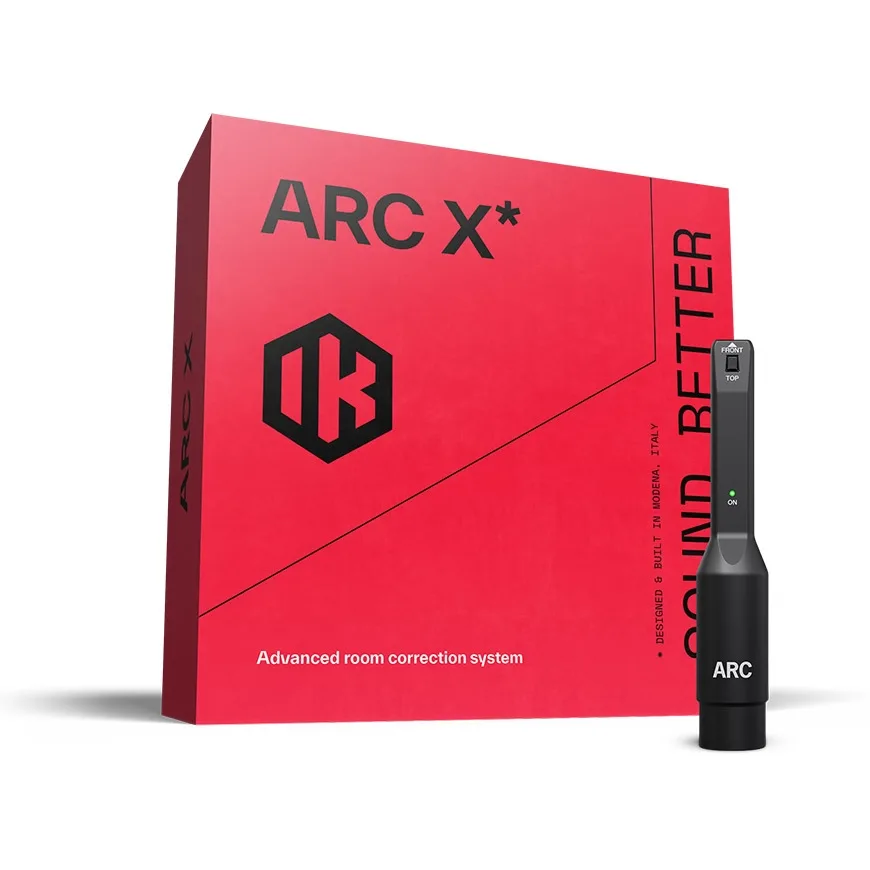
IK Multimedia ARC X Room Correction Software with Measurement Mic
In stock
- Measures your room and corrects frequency and phase problems at the listening position
- Flexible scans from a quick 1-point check to a detailed 21-point map
- Nine target curves plus Natural and Linear phase modes
- Virtual monitoring of 20+ reference monitors and playback systems
- Precision MEMS measurement microphone included
- AU, VST3 and AAX plug-in for Mac and Windows
$369
In stock
IK Multimedia ARC X is IK’s latest room correction system, combining measurement software, a correction plug-in and a precision MEMS measurement microphone in one box. It is built for home studio owners and producers who mix in untreated or partly treated rooms and want monitors that tell the truth about the low end, as well as engineers who want a fast, repeatable calibration across more than one room.
ARC X is the successor to ARC 4 and IK’s X-MONITOR software, bringing room correction, tonal shaping and virtual monitoring together in a single platform.
How ARC X room correction works
Every room adds its own peaks, dips and reflections, especially below a few hundred hertz. You end up mixing the room instead of the music. ARC X measures that colouration with the included mic and builds a correction profile that is applied to your monitor output.
IK’s VRM (Volumetric Response Modelling) technology takes measurements from several positions around your listening spot, building a three-dimensional picture of the room instead of relying on a single point. The correction works in both the frequency and time domain, so it treats phase problems as well as level problems, and keeps the left and right channels phase-coherent.
Measurement modes to suit your setup
- 1, 3 or 7 points: guided quick scans for a desk setup, a laptop rig or a room you recalibrate often
- 21 points: a detailed scan for a fixed studio where you want the most accurate result
- Fast Mode: shorter measurement time for quick setups
The software walks you through each step, then creates the correction profile automatically. You can also use a measurement microphone from another manufacturer if you already own one.
Shape the sound, not just flatten it
Room correction does not have to sound clinical. ARC X gives you nine target curves, including Dolby Atmos, warm tilt and bright tilt, so you can start from neutral or something a little more musical. You can limit the correction to a chosen low and high range to keep your monitors’ own character, and adjust filter resolution and smoothing. Natural and Linear phase modes let you choose between low latency and full phase linearity.
Virtual monitoring: check your mix on 20+ systems
ARC X can emulate the frequency and phase response of more than 20 reference monitors and playback systems, from studio favourites to consumer speakers. Instead of walking your mix to the car or the kitchen speaker, you can switch between them from your chair. The emulation runs on top of your room correction, so the comparison stays honest.
Plug-in, metering and IK hardware
For in-the-box work, the ARC X plug-in sits on your DAW’s master bus and applies the correction there. It also includes T-RackS-based Peak, RMS, LUFS and Dynamic Range metering, so loudness checks happen in the same window. ARC X also works with IK’s ecosystem: iLoud Precision MKI and MKII, iLoud Micro Monitor Pro, iLoud MTM MKII and ARC Studio, where correction can run on the hardware with no CPU load and no added latency.
Who is it for?
- Home studio producers mixing in bedrooms, spare rooms or garages with little or no treatment
- Owners of non-IK monitors who want correction inside their DAW
- ARC 4 users ready to move to IK’s current platform
- Engineers with portable rigs who need to recalibrate quickly in different rooms
Who it is not for: anyone expecting software to fix long reverb or flutter echo. ARC X corrects what you hear at the listening position; it does not replace bass traps and panels. It works best alongside acoustic treatment and room correction gear.
ARC X plug-in vs ARC Studio
Both use the same ARC X correction. The plug-in runs inside your DAW, so it is the affordable choice when your work happens in the DAW and you are happy for it to use some CPU. ARC Studio is a hardware processor that sits between your interface and your monitors, so correction is applied outside the computer. Choose the plug-in for in-the-box mixing, and ARC Studio when you want a hardware path for third-party monitors that runs independently of your DAW and CPU.
ARC X vs ARC 4
ARC 4 offered 7- and 21-point measurement. ARC X adds quicker 1- and 3-point modes, nine target curves and the virtual monitoring from X-MONITOR in the same platform, and it is the version IK now builds its iLoud monitors and ARC Studio around.
Key Features
- VRM-based room analysis with 1, 3, 7 or 21 measurement points
- Fast Mode for quicker measurement
- Nine target curves, including Dolby Atmos, warm tilt and bright tilt
- Adjustable correction range, filter resolution and smoothing
- Natural and Linear phase modes
- Virtual monitoring of 20+ reference monitors and playback systems
- T-RackS-based Peak, RMS, LUFS and Dynamic Range metering
- Supports third-party measurement microphones
- Precision MEMS measurement microphone and clip included
FAQ
What do I need to run IK Multimedia ARC X?
A Mac or Windows computer, a DAW that runs AU, VST3 or AAX plug-ins, and an audio interface with a phantom-powered XLR mic input and a pair of monitor outputs. Set the interface to 44.1 kHz or 48 kHz for the measurement.
Does it include a cable for the microphone?
The box contains the software licence, the measurement mic and a mic clip. No cable is listed, so have a standard XLR mic cable ready.
Can I use ARC X with monitors from other brands?
Yes. The plug-in works with any monitors, including active studio monitors from other brands. For hardware-based correction of third-party monitors, use ARC Studio.
Can I use my own measurement mic?
Yes, ARC X supports measurement mics from other manufacturers. The included IK MEMS mic is calibrated for ARC, so it is the most accurate choice.
Will it fix my untreated room?
It will make a clear difference to frequency balance and stereo image at your mix position, which is where most home studio problems show up. It cannot remove reverb or reflections across the whole room, so physical treatment is still worth adding over time.
Does ARC X add latency?
Natural phase mode is designed for low latency, while Linear phase mode trades some latency for full phase linearity. When correction runs on compatible IK hardware, it adds no CPU load or latency to your computer.
| Weight | 0.2 kg |
|---|---|
| Dimensions | 18 × 17 × 6 cm |
Specifications
| Specification | Details |
|---|---|
| Product type | Room correction software with measurement microphone |
| Measurement modes | 1, 3, 7 or 21 points, plus Fast Mode |
| Room analysis | VRM (Volumetric Response Modelling) |
| Target curves | 9, including Dolby Atmos, warm tilt and bright tilt |
| Phase modes | Natural, Linear |
| Virtual monitoring | 20+ reference monitors and playback systems |
| Metering | Peak, RMS, LUFS, Dynamic Range (T-RackS) |
| Third-party mics | Supported |
| Plug-in formats (Mac) | AU, VST3, AAX |
| Plug-in formats (Windows) | VST3, AAX |
| macOS | 10.15 or later (11 or later on Apple Silicon), Apple M1 or Intel Core i5, 4 GB RAM |
| Windows | Windows 10 64-bit or later, Intel Core i5 or equivalent, 4 GB RAM, ASIO driver |
| Graphics | OpenGL 2 compatible |
| Audio interface | Phantom-powered XLR mic input and stereo monitor outputs |
| Measurement sample rate | 44.1 kHz or 48 kHz |
| Compatible IK hardware | iLoud Precision MKI/MKII, iLoud Micro Monitor Pro, iLoud MTM MKII, ARC Studio |
| Microphone type | MEMS measurement mic, omnidirectional, free field |
| Mic frequency response | 20 Hz – 20 kHz, ±0.5 dB (with ARC) |
| Mic output | Transformerless, electronically balanced, 100 Ω |
| Mic signal-to-noise ratio | 65 dB (A-weighted) |
| Mic maximum SPL | 124 dB SPL |
| Mic phantom power | 12–48 V |
| In the box | ARC X software licence, MEMS measurement microphone, mic clip |
Related products
-
Acoustic Treatment & Room Correction
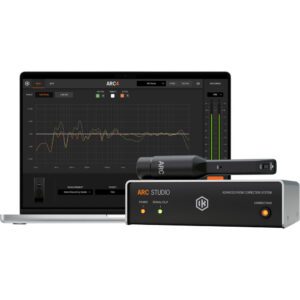
IK Multimedia ARC Studio Room Correction System with Measurement Microphone
 Acoustic Treatment & Room Correction
IK Multimedia ARC Studio Room Correction System with Measurement Microphone
- Standalone hardware room correction that sits between your interface and your monitors
- Corrects everything you hear, not only audio inside your DAW
- ARC measurement microphone and clamp included
- 1.4 ms latency in Natural Phase mode, or linear phase when you need it
- Keeps its correction profile with the computer off
- Compact 14.4 x 12 cm box with balanced XLR I/O
SKU: IKMT_IP-ARC-STUDIO-IN -
Acoustic Treatment & Room Correction, Microphone Accessories, Sales, Top 10dB
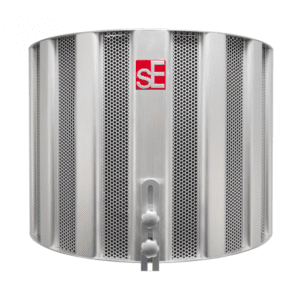
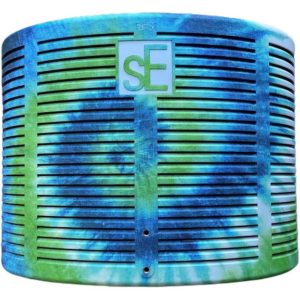
sE RF-X Reflexion Filter – Blue Swirl
 Acoustic Treatment & Room Correction, Microphone Accessories, Sales, Top 10dB
sE RF-X Reflexion Filter – Blue Swirl
- Portable vocal booth
- Lightweight vented body
- Efficient clamp assembly
- Four-layer acoustic filter design
- Filters frequencies evenly across the whole spectrum
- Includes Reflexion Filter® X, Mounting bracket, Mic stand thread adaptor
SKU: SEEL_RF-XBLSW