

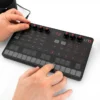

IK UNO Synth

In stock
- True analogue sound path: 2 VCOs, noise, multimode filter and VCA
- 100 presets, 16-step sequencer and 10-mode arpeggiator
- 27-note touch keyboard with 13 built-in scales
- Tempo-sync delay plus 5 performance effects
- 400 g and runs on 4 AA batteries or USB
- USB MIDI, MIDI in/out and free editor for Mac, PC and iOS
$299 $369
In stock
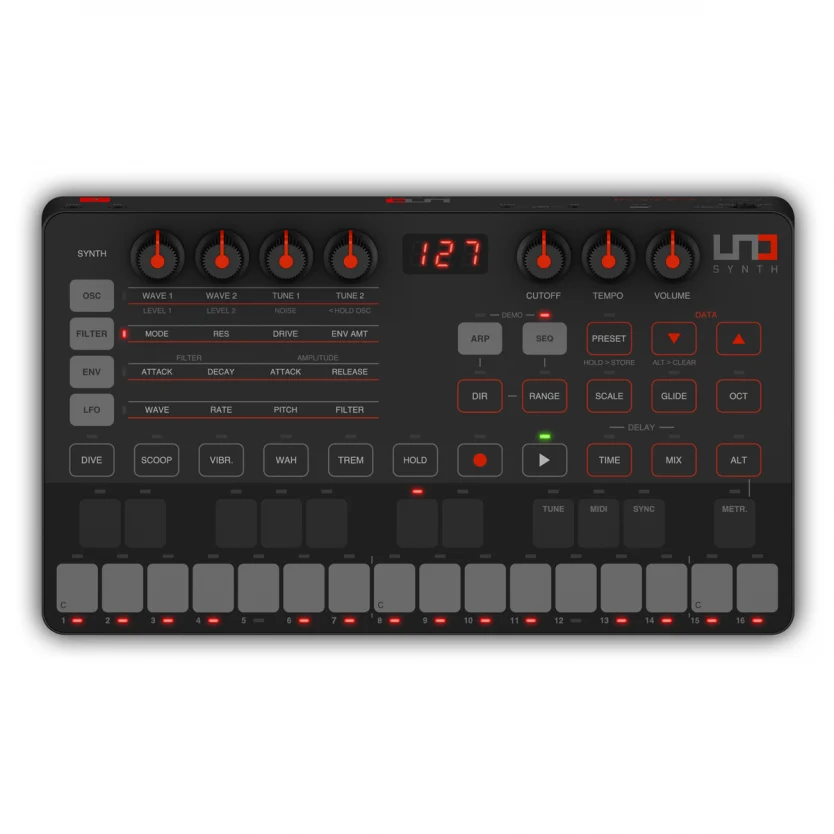
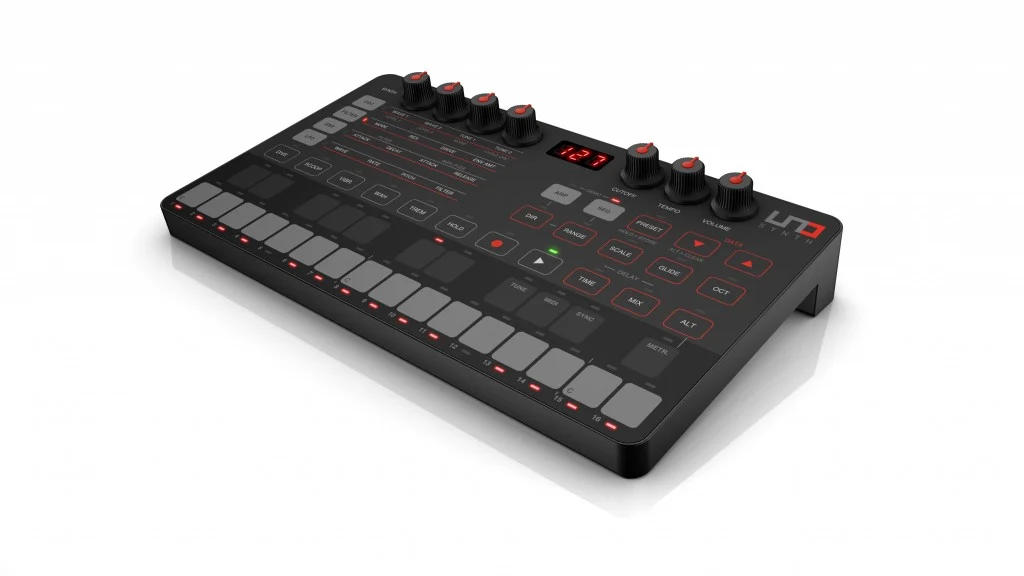
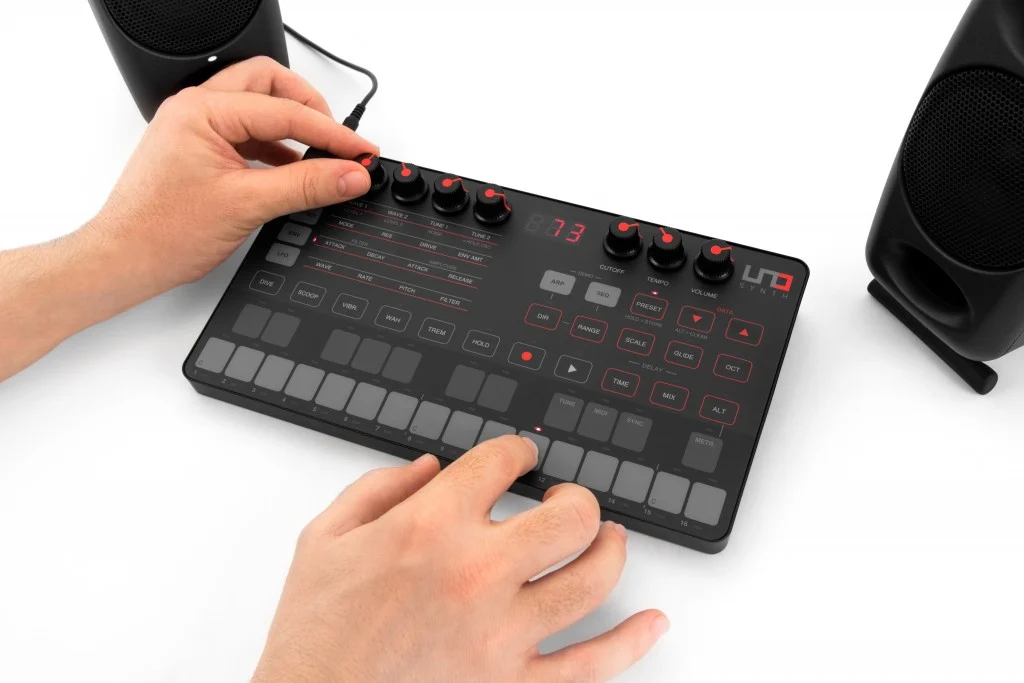
The UNO Synth is IK Multimedia’s compact true analogue synthesizer, made for beginners stepping into hardware synths and for producers who want a portable analogue mono synth for basses, leads and sequences. It weighs about 400 g, runs on AA batteries or USB, and stores its sounds in 100 preset memories.
IK developed the UNO Synth with Italian boutique synth maker Soundmachines and keyboardist and synth designer Erik Norlander. It was IK’s first hardware synth, and it laid the foundation for the UNO Synth Pro range.
A True Analogue Sound Path
The sound starts with two analogue oscillators. Each one morphs between triangle, saw and pulse waves, with variable pulse width, and a noise generator adds grit and percussive textures. The signal then runs through a 2-pole OTA-based resonant multimode filter with low-pass, high-pass and band-pass modes, plus a drive control for extra bite. Reviewers praised its range, from acid squelch to round, Moog-style basses and sharp leads.
Envelopes, LFO and Effects
Separate envelopes for the filter and amp shape each sound. On the front panel they work as quick attack/decay and attack/release controls, and full ADSR settings are available on the hardware, through the editor or over MIDI. The LFO has seven waveforms, including sample and hold, and modulates pitch, filter and amp. It can also sync to tempo.
A tempo-sync delay adds depth to sequences and arpeggios, and Mixdown’s reviewer singled it out as the highlight. Five performance effects (Dive, Scoop, Vibrato, Wah and Tremolo) add quick movement when playing live.
Sequencer, Arpeggiator and Scales
The 16-step sequencer records in real time or step by step, and can automate up to 20 parameters, so the filter, delay and more can move from step to step. The 10-mode arpeggiator covers up to four octaves with a hold function. Thirteen built-in scales keep everything you play on the keyboard in key, which is handy for beginners and for fast jamming.
Touch Keyboard and Controls
The 27-note multi-touch keyboard lets you play notes, slide across them and program sequences without any extra gear. More than 40 front-panel controls cover the main parameters, and each of the 100 presets (80 rewritable) stores the sound along with its sequence.
Portable Power and Connectivity
The UNO Synth runs on four AA batteries or micro USB power, so it works on a train, on the couch or at a jam. Connections include an audio output, an audio input for daisy-chaining another device such as the UNO Drum, MIDI in and out on 2.5 mm mini jacks with DIN adaptor cables, and USB MIDI for computers and iOS devices. The free UNO Synth Editor runs as a standalone app on Mac, Windows, iPad and iPhone, and as a plug-in in your DAW, giving full access to every parameter and saving patches with your project.
UNO Synth vs Alternatives
- UNO Synth: 2 analogue oscillators, one multimode filter, 100 presets, battery powered, 400 g. The most portable and affordable way into the UNO range.
- UNO Synth Pro Desktop: steps up to 3 oscillators, two filters, paraphonic play, 256 presets, a 64-step sequencer, balanced outputs and CV/Gate. Better for a studio rig, but it runs on USB power rather than AA batteries.
- Arturia MicroBrute: a more traditional analogue synth with more physical knobs and patch points, if you prefer hands-on control over presets and app editing.
Compare all our analogue synthesizers to find your match.
Who Is the UNO Synth For?
- Beginners who want a real analogue synth that’s easy to learn
- Travelling musicians who need a synth that runs on batteries
- Producers who want a compact analogue bass and lead module controlled from their DAW
- UNO Drum owners building a portable groove setup
It’s not the best fit if you want lots of dedicated knobs, oscillator sync or extreme sound design, or if you need chords. It’s a monophonic synth.
Tips for Getting the Best From It
- Add a MIDI keyboard for more expressive playing. The touch keys share duties with the editing buttons, and a separate keyboard lets you play and tweak at the same time. Browse our MIDI keyboards.
- If you hear noise when it shares a computer with your audio interface, power it from batteries or a separate USB charger instead of the computer’s USB port.
- Rechargeable AA batteries are a good idea for regular portable use. Carry a spare set for long sessions.
- Install the UNO Synth Editor to reach every parameter and back up your presets.
- Pair it with an UNO Drum or other drum machine through the audio input for a complete battery-powered groove box.
Key Features
- True analogue synth: 2 VCOs, noise generator, VCF and VCA
- Wave-morphing oscillators (triangle, saw, pulse with PWM)
- 2-pole OTA multimode filter: low-pass, high-pass, band-pass, with drive
- Filter and amp envelopes with full ADSR access
- LFO with 7 waveforms
- Tempo-sync delay and 5 performance effects
- 16-step sequencer with up to 20 automated parameters
- 10-mode, 4-octave arpeggiator
- 27-note multi-touch keyboard with 13 scales
- 100 presets (80 rewritable)
- Audio input for daisy-chaining
- USB MIDI and 2.5 mm MIDI in/out
- Runs on 4 AA batteries or USB power
- Free editor for Mac, Windows, iPad and iPhone
UNO Synth FAQ
Is the UNO Synth fully analogue?
Yes. The oscillators, filter and amp are analogue. Digital control handles the presets, sequencer, effects and MIDI.
Is the UNO Synth good for beginners?
Yes. It’s simple to learn, the built-in scales keep you in key, and the 100 presets give you a starting point. Reviewers have called it a great first real synth.
Can the UNO Synth play chords?
No. It’s a monophonic synth, so it plays one note at a time. For three-note chords, look at the UNO Synth Pro range, which has a paraphonic mode.
How long do the batteries last?
It depends on use. Sound On Sound’s reviewer found rechargeable AAs lasted about two to three hours. For long sessions, use USB power or keep spare batteries on hand.
Can I use the UNO Synth with my DAW?
Yes. Connect it over USB for MIDI, and use the UNO Synth Editor plug-in to control it and recall its sounds inside your DAW project.
Does it work with standard MIDI cables?
Yes, through the included adaptor cables, which convert its 2.5 mm MIDI jacks to standard 5-pin DIN.
| Weight | 0.82 kg |
|---|---|
| Dimensions | 28 × 19.5 × 6.2 cm |
| brands | Ik Multimedia |
Specifications
| Specification | Details |
|---|---|
| Type | Analogue monophonic synthesizer |
| Polyphony | 1 voice |
| Oscillators | 2 VCOs, wave-morphing (triangle, saw, pulse with PWM) |
| Noise | Noise generator |
| Filter | 2-pole OTA resonant multimode (LPF, HPF, BPF) with drive |
| Envelopes | 2 (filter and amp), full ADSR access |
| LFO | 1, 7 waveforms (incl. sample and hold), tempo sync |
| LFO destinations | Pitch, filter, amp |
| Effects | Tempo-sync delay, 5 performance effects (Dive, Scoop, Vibrato, Wah, Tremolo) |
| Presets | 100 (80 rewritable) |
| Sequencer | 16 steps, up to 20 automated parameters, real-time and step recording |
| Arpeggiator | 10 modes, 4 octaves |
| Scales | 13 |
| Keyboard | 27-note multi-touch keyboard |
| Audio output | 3.5 mm |
| Audio input | Yes (for daisy-chaining) |
| MIDI | 2.5 mm MIDI in/out (DIN adaptor cables included), USB MIDI (micro USB) |
| Power | 4 x AA batteries or USB |
| Weight | 400 g |
| Software | UNO Synth Editor (Mac, Windows, iPad, iPhone; standalone or plug-in) |
Related products
-
-
Synthesizers, Top 10dB, UNO Synth Pro deals
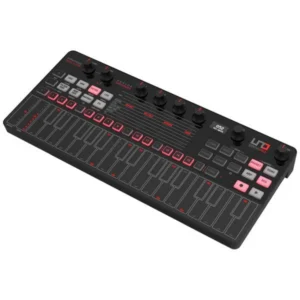
IK Uno Synth Pro Desktop Black Edition – Paraphonic dual-filter analog synthesizer. Ultra-portable 32 capacitive-key desktop
 Synthesizers, Top 10dB, UNO Synth Pro deals
IK Uno Synth Pro Desktop Black Edition – Paraphonic dual-filter analog synthesizer. Ultra-portable 32 capacitive-key desktop
- True Analog Synthesizer
- Capacitive-Touch Keyboard
- USB Powered or Power Bank
- 256 User-Editable Presets
- 3 Discrete Wave-Morphing Oscillators
- UNO OTA Filter + SSI-Based Filter
- 16-Slot Modulation Matrix
- 12 Studio-Quality FX in 3 Slots
- Sequencer and Arpeggiator
- 1/4″ Outputs + CV/Gate I/O
SKU: IKMT_IP-UNO-SPRODTBLK-IN