
IK UNO Synth Pro Desktop Black Edition

In stock
- Same 3-oscillator, dual-filter analogue engine as the keyboard UNO Synth Pro
- Ultra-portable: 700 g, powered over USB or a power bank
- Self-oscillating SSI filter plus the original UNO OTA filter, 24 modes
- 64-step sequencer, 10-mode arpeggiator and 256 user presets
- Analogue drive plus 12 digital effects in 3 slots
- MIDI, USB and CV/Gate in/out for DAW and modular setups
$599 $759
In stock
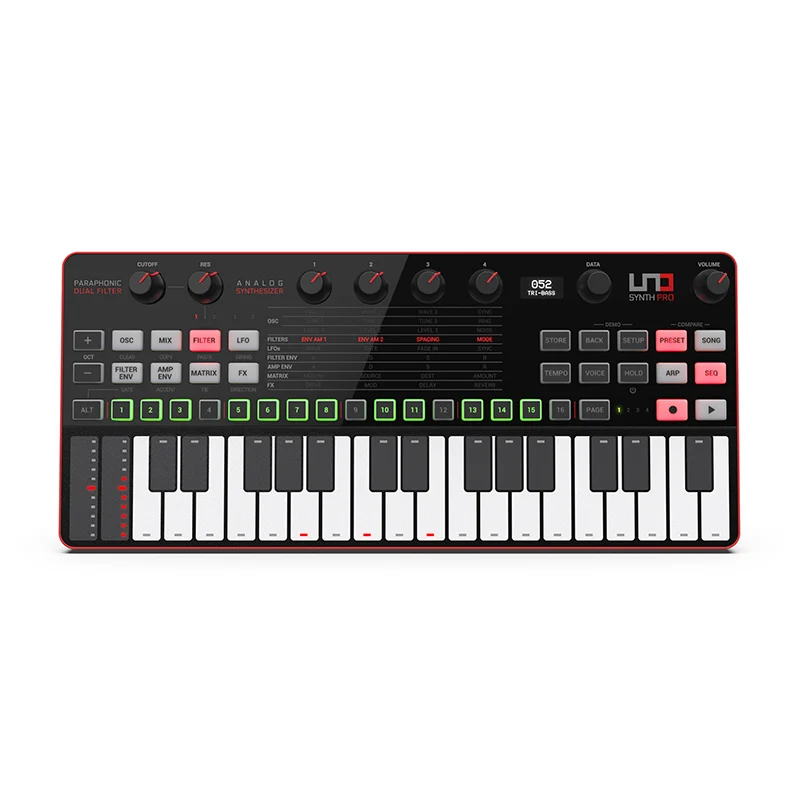
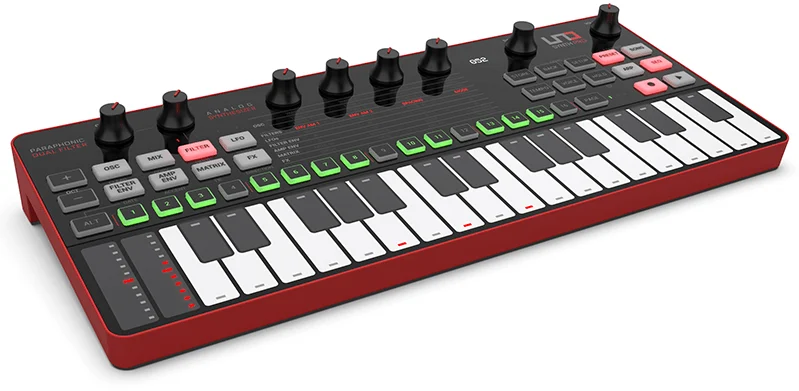
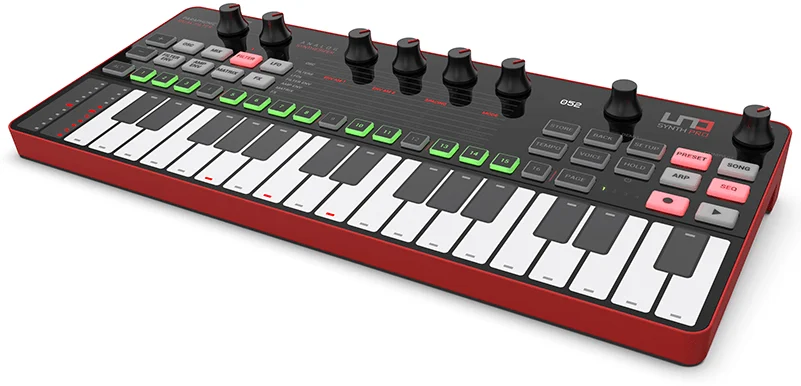
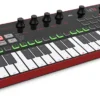
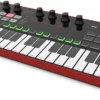
The UNO Synth Pro Desktop is IK Multimedia’s compact analogue synthesizer for producers, beatmakers and sound designers who want a full-featured analogue synth that fits in a backpack. This Black Edition puts the same synth engine as the keyboard UNO Synth Pro into a 700 g tabletop unit with 32 capacitive touch keys, powered from USB or a power bank.
IK developed the UNO Synth Pro range with Italian boutique synth maker Soundmachines, the team behind the original UNO Synth. Reviewers praised how much synth the Desktop packs for its size and price. MusicRadar rated it 4.5 out of 5, and Sound On Sound said it can hold its own in any synth setup.
Three Analogue Oscillators in a Portable Synth
At its heart are three discrete analogue oscillators. Each one morphs smoothly between waveshapes instead of switching between fixed waves, and each offers pulse-width modulation, hard sync, FM and ring modulation. A white noise generator covers percussive sounds, risers and wind effects.
Play it as a fat three-oscillator monosynth for basses and leads, with mono or legato triggering and glide. In paraphonic mode, the three oscillators play separate notes through the shared filter, so you can play simple three-note chords and intervals.
Dual Analogue Filters
The UNO Synth Pro Desktop has two analogue filters. The original UNO Synth 2-pole OTA multimode filter is joined by a new SSI-based 2/4-pole low-pass filter that can self-oscillate. Together they give 24 filter modes, from rubbery acid basses to smooth sweeping pads. The audio input lets you run a drum machine, guitar or vocal through the same filters and effects.
Sequencer, Arpeggiator and Modulation
The 64-step sequencer records notes plus up to 84 parameters per step, so patterns can move filter cutoff, effects and more as they play. It also has a song mode for chaining patterns. MusicRadar’s reviewer called the sequencer the highlight of the synth. A 10-mode arpeggiator, two LFOs and a 16-slot modulation matrix give you plenty of movement, and 256 user-editable presets store your sounds.
Analogue Drive and Onboard Effects
An analogue overdrive circuit adds warmth or aggression, followed by three digital effect slots (modulation, delay and reverb) with 12 effect types. That includes chorus, flanger, phaser, ping-pong delay and plate-to-hall reverbs. Sound On Sound singled out the reverb as worth having on its own.
Full-Size Connectivity in a Small Box
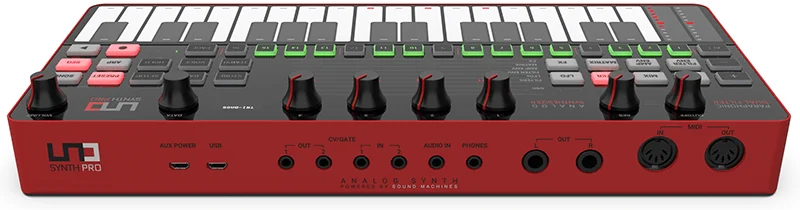
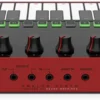
The Desktop has the same rear-panel connections as the keyboard model. It offers two balanced 1/4″ outputs, a headphone output, an audio input, full-size MIDI in and out, micro USB for MIDI and power, and two channels of CV and Gate in and out. It can drive Eurorack modules, follow a DAW or drum machine, or sit in the middle of a hardware rig. The free UNO Synth Pro Editor runs on Mac and Windows as a standalone app or plug-in, so you can edit and recall sounds from inside your DAW.
UNO Synth Pro Desktop vs Keyboard Pro vs PRO X vs Original UNO Synth
- UNO Synth Pro Desktop (this model): the full Pro engine and connections in a 700 g plastic unit with 32 capacitive keys and touch strips, USB powered. Best for travel, small desks and players who already own a MIDI keyboard.
- UNO Synth Pro (keyboard): the same engine with a 37-key Fatar keybed with aftertouch, physical pitch and mod wheels, a metal chassis and an included power supply. Best if you want to play it as an instrument.
- UNO Synth PRO X: a newer desktop module with many more dedicated knobs, three envelopes with loop and retrigger, and a Bassline mode. Best if you want fewer menus and no onboard keys.
- Original UNO Synth: a simpler monophonic synth with two oscillators and one filter, with no paraphony and no CV/Gate. Cheaper, but far less capable.
Compare all our analogue and hybrid synthesizers to find the right fit.
Who Is the UNO Synth Pro Desktop For?
- Producers who want real analogue basses, leads and pads in their DAW without giving up desk space
- Travelling musicians who need a synth they can run from a power bank
- Modular users looking for a compact CV/Gate source
- Beginners moving up from software synths to a deep but logical hardware synth
It’s not ideal if you want to play expressive parts on the built-in keys, since the touch keyboard is best for auditioning sounds and simple lines. Pair it with one of our MIDI keyboards, or choose the keyboard UNO Synth Pro instead.
Setup Tips
- A USB power bank or wall adaptor is usually quieter than powering it from a computer’s USB port. Reviewers noted that computer USB power can add noise.
- The synth calibrates its analogue circuits at power-up, so switch it on a little before you start.
- Use both balanced outputs into a stereo pair of inputs on your audio interface to keep the stereo effects intact.
- Install the UNO Synth Pro Editor to back up presets and reach parameters that aren’t on the front panel.
Key Features
- 3 discrete wave-morphing analogue oscillators with PWM, sync, FM and ring modulation
- White noise generator
- Dual filters: 2-pole OTA multimode and 2/4-pole SSI low-pass with self-oscillation, 24 modes
- Mono, legato and 3-note paraphonic modes
- Two LFOs and a 16-slot modulation matrix
- Analogue overdrive plus 12 digital effects in 3 slots
- 64-step sequencer with up to 84 parameters per step and song mode
- 10-mode arpeggiator
- 256 user-editable presets
- 32 capacitive touch keys with pitch and mod strips
- Powered over USB or a power bank
- Two balanced outputs, headphone out, audio input
- MIDI in/out, USB MIDI and 2 channels of CV/Gate in/out
- Free UNO Synth Pro Editor for Mac and Windows
UNO Synth Pro Desktop FAQ
Does the UNO Synth Pro Desktop sound different from the keyboard version?
No. Both use the same analogue engine, controls and connections. The differences are the keyboard, the controllers, the build and how they’re powered.
Is the Black Edition different from the standard Desktop?
The Black Edition is the UNO Synth Pro Desktop in a black finish. The synth engine and features are the same.
Can I power the UNO Synth Pro Desktop from a power bank?
Yes. It runs on USB power, so a USB power bank or wall adaptor works. That makes it easy to use away from a power point.
Is the UNO Synth Pro Desktop polyphonic?
No. It’s a three-oscillator synth with a paraphonic mode that plays up to three notes at once through a shared filter. That’s enough for simple chords, but it isn’t a fully polyphonic synth.
Can I play it from a MIDI keyboard or DAW?
Yes. It has full-size MIDI in and out plus USB MIDI, so any MIDI keyboard or DAW can play and sequence it. Many owners do this to get a better playing feel than the touch keys.
Will it work with my modular synth?
Yes. It has two channels of CV and Gate in and out, so it can control Eurorack modules or be played from them.
| Weight | 1 kg |
|---|---|
| Dimensions | 35 × 19.5 × 6.3 cm |
| brands | Ik Multimedia |
Specifications
| Specification | Details |
|---|---|
| Type | Paraphonic analogue synthesizer with digital effects |
| Finish | Black Edition |
| Keyboard | 32 capacitive touch keys |
| Controllers | Pitch and mod touch strips |
| Oscillators | 3 discrete wave-morphing analogue oscillators |
| Oscillator modulation | PWM, sync, FM, ring modulation |
| Noise | White noise generator |
| Filters | 2-pole OTA multimode filter + 2/4-pole SSI low-pass filter with self-oscillation |
| Filter modes | 24 |
| Voice modes | Mono, legato, paraphonic (3 notes) |
| LFOs | 2 |
| Modulation matrix | 16 slots |
| Effects | Analogue overdrive + 12 digital effects in 3 slots (modulation, delay, reverb) |
| Presets | 256 user-editable |
| Sequencer | 64 steps, up to 84 parameters per step, song mode |
| Arpeggiator | 10 modes |
| Audio outputs | 2 x balanced 1/4″ outputs (stereo), headphone output |
| Audio input | Yes (to filters, effects or pass-through) |
| MIDI | 5-pin DIN MIDI in/out, USB MIDI (micro USB) |
| CV/Gate | 2 channels CV/Gate in, 2 channels CV/Gate out |
| Power | USB power or USB power bank |
| Enclosure | Plastic |
| Dimensions (W x D x H) | 25 x 14 x 5 cm |
| Weight | 700 g |
| Software | UNO Synth Pro Editor (macOS 10.11+ / Windows 8+, 64-bit; standalone or plug-in) |
| In the box | UNO Synth Pro Desktop, micro USB to USB cable |
Related products
-
-
-
-
Bundles, Sales, Synthesizers
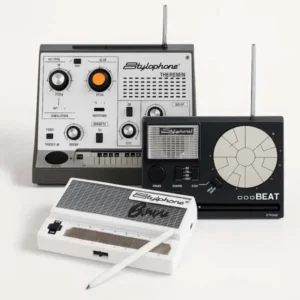
Stylophone Ultimate Bundle – Theremin, BEAT & Bowie Synths
- Three iconic Stylophones in one pack
- Compact, portable, battery-powered instruments
- Perfect for beginners and collectors alike
- Includes Theremin, BEAT, and Bowie
- Retro sounds with futuristic inspiration
SKU: STYL_ULTIMATE