10dB WIDE – Free Stereo Widener Plugin (VST3 / AU)
- 100% free stereo widener: VST3 for Windows and Mac, plus AU for Logic Pro
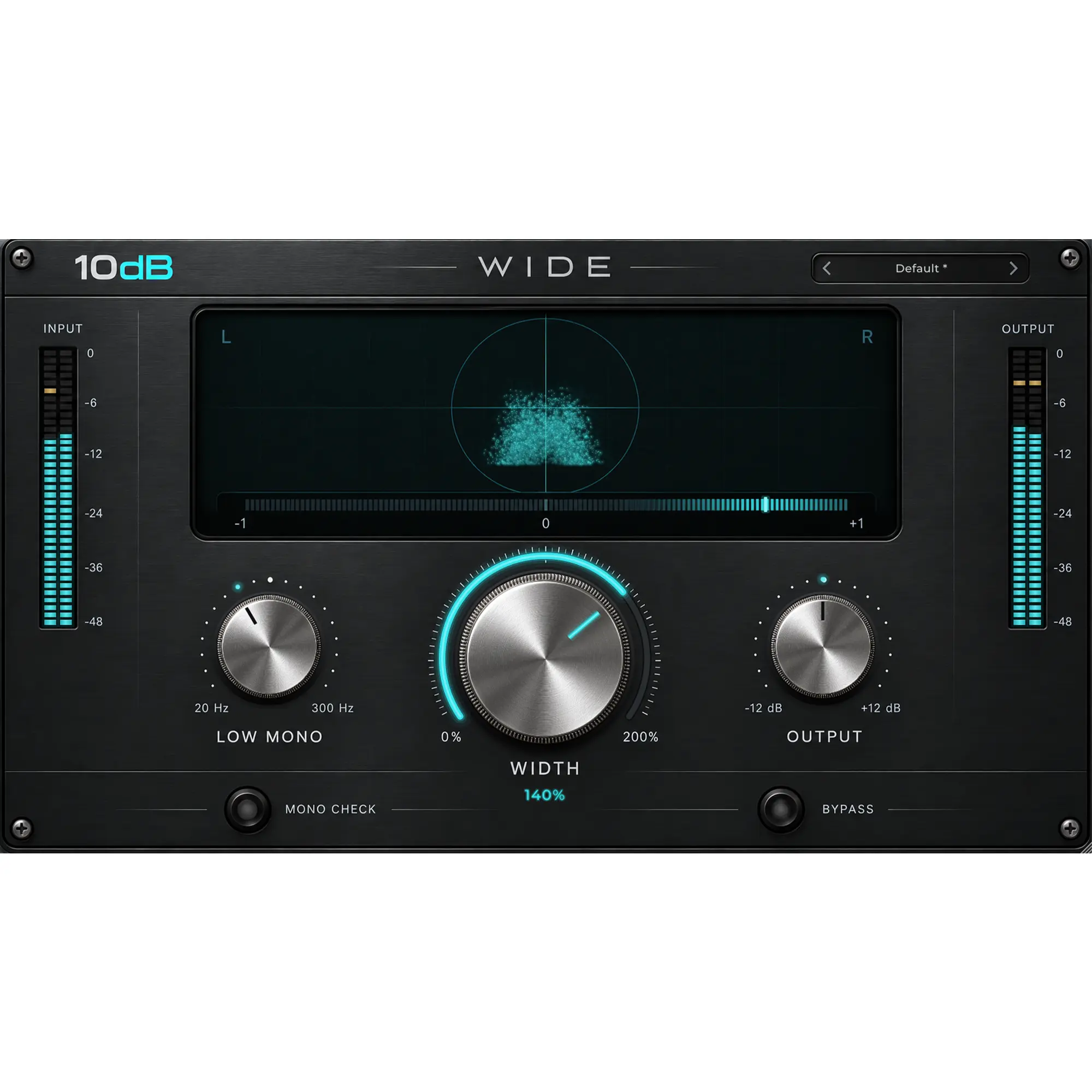
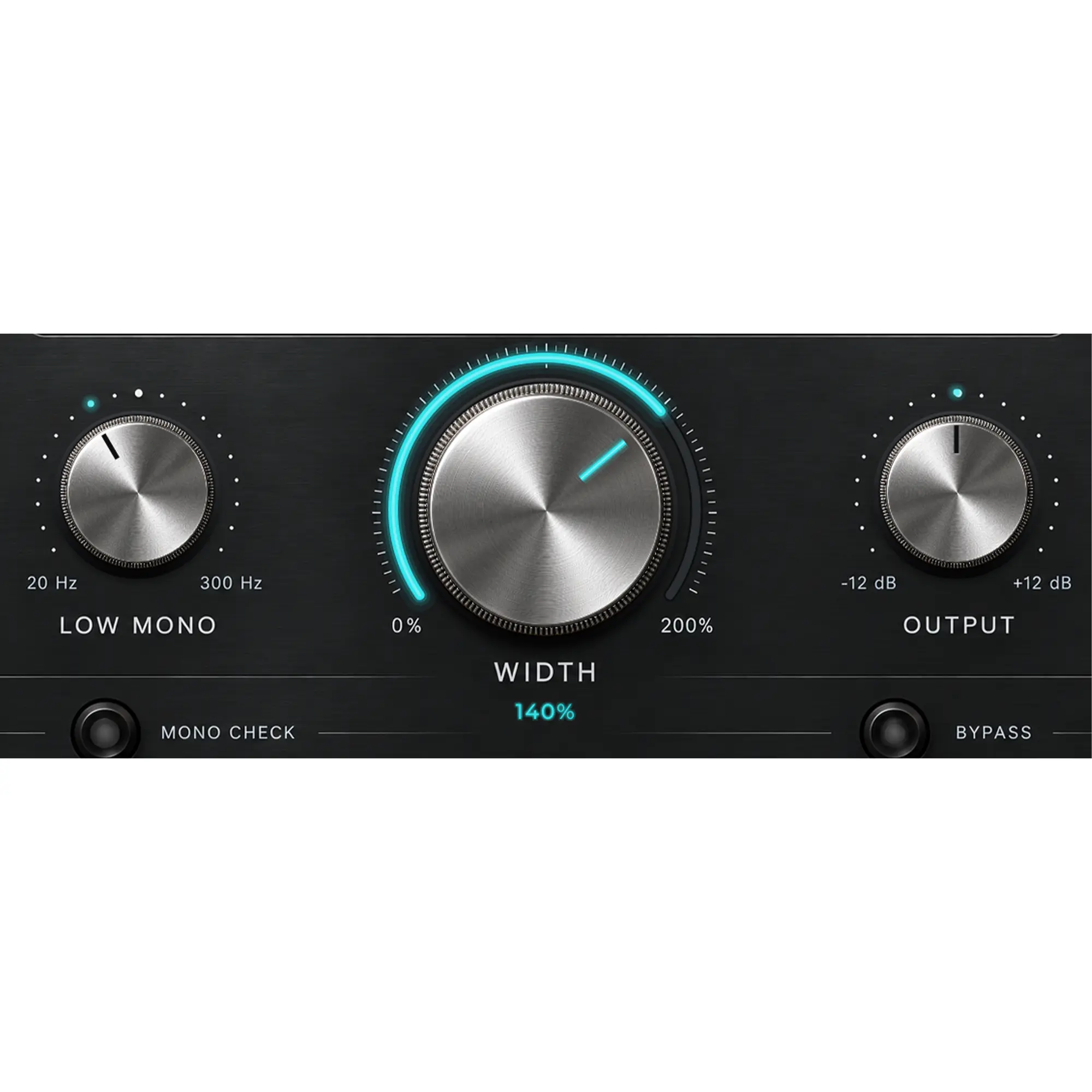
- Width from 0% (mono) to 200% (double the stereo side)
- Low Mono keeps bass below 20–300 Hz centred and punchy
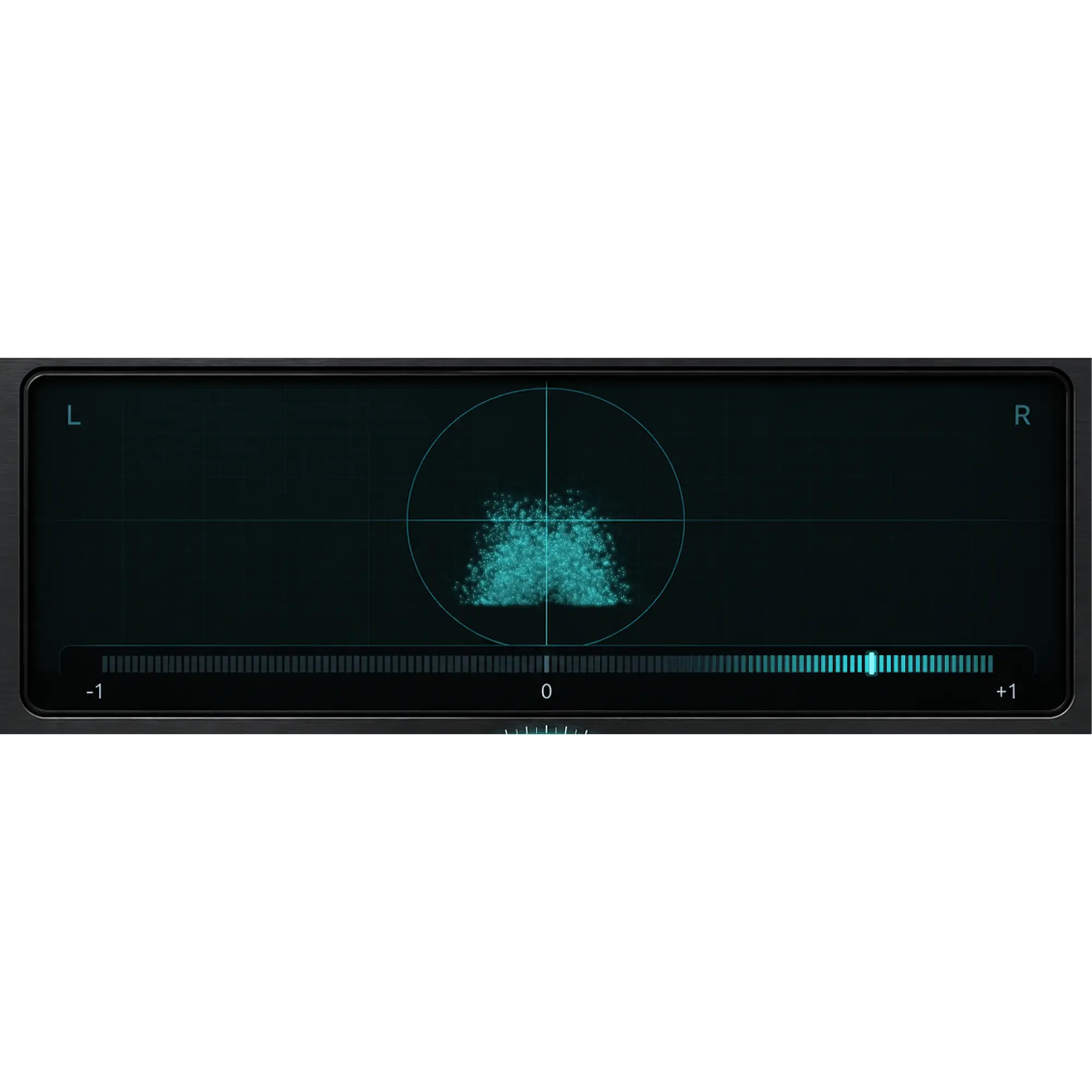
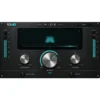
- Live vectorscope and correlation meter that turns red on phase problems
- One-click Mono Check and click-free bypass
- Zero latency, 10 presets, resizable interface
Free
10dB WIDE is a free stereo widener plugin that makes stereo tracks, buses and mixes sound wider and more open, while keeping the low end tight and mono-safe. It is made for home studio producers, mix engineers and beatmakers who want a clean width control with proper metering, without paying for a mastering suite.
It is the first free plugin designed and released by 10dB. It runs as a VST3 on Windows and macOS and as an Audio Unit in Logic Pro and GarageBand, so it fits straight into the DAW you already use alongside our other VST plug-ins.
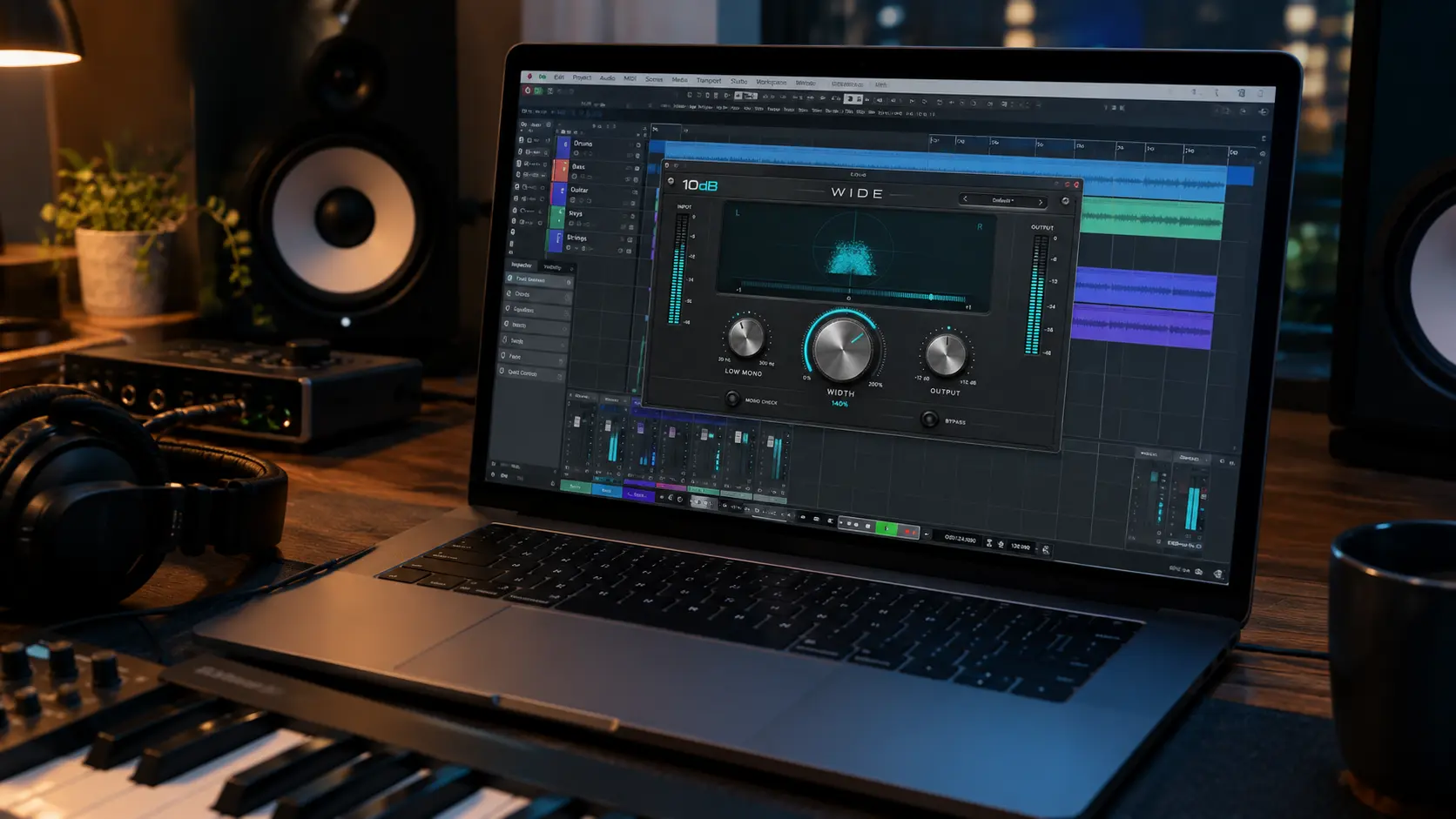
What does a stereo widener actually do?
Every stereo signal can be split into two parts: the mid (what the left and right channels share, usually the vocal, kick, snare and bass) and the side (what is different between them, such as room sound, double-tracked guitars and stereo synths). 10dB WIDE leaves the mid untouched and turns the side up or down. At 100% nothing changes, below 100% the image narrows towards mono, and above 100% the edges of the mix move further out while the centre stays exactly where it was.
Because it works on the stereo information that is already there, it does not add delay, chorus or fake reverb, so it will not smear transients or blur the centre of the mix.
Width you can see, not just hear
Widening is easy to overdo, especially on headphones. WIDE shows you what is happening while you turn the knob:
- Vectorscope – a mono sound draws a narrow vertical line; a wide sound spreads into a fan towards L and R.
- Correlation meter – near +1 means mono-compatible, around 0 means very wide, and anything below 0 warns of phase cancellation. The meter shifts from cyan to red as it moves into negative territory.
- Input and output meters – so you can match levels and judge the change fairly, not just because one version is louder.
Low Mono: wide highs, tight bass
Stereo bass is one of the most common reasons a mix sounds loose on a club system or weak on a phone speaker. The Low Mono control removes stereo information below a frequency you choose, from 20 Hz (off) up to 300 Hz. Everything below stays centred, while the width you add only affects the frequencies above it. The crossover is phase-matched between mid and side, so the low end stays solid when you blend it back in.
Mono Check and true bypass
Many listeners still hear music in mono: phones, smart speakers, some venues and broadcast. Press Mono Check to sum the output to mono instantly and make sure nothing important disappears. Bypass is linked to your DAW’s bypass, fades in and out without clicks, and returns the original audio unchanged.
Who is it for?
- Producers who want pads, synths, backing vocals and stereo guitars to sit wider than the lead.
- Mix engineers who need a quick way to narrow an overly wide stereo recording or keep a bus mono below a chosen frequency.
- Mastering beginners who want to add a little width to a full mix and check mono compatibility before release.
Who it is not for: if your source is a mono recording (a single vocal, a DI bass, one guitar mic), there is no side information to widen, so the Width knob will have little or no audible effect. For mono sources, double-track the part, use a stereo reverb or delay, or pick a pseudo-stereo tool instead. WIDE does its best work on stereo tracks, buses and the master.
Quick starting points
- Stereo synths and pads: Width 150–180%, Low Mono around 150 Hz.
- Backing vocals bus: Width 130–150%, Low Mono 120–150 Hz.
- Drum room or overheads: Width around 135%, Low Mono up to 200 Hz to keep the kick centred.
- Full mix: Width 105–115% and Low Mono around 100 Hz. Keep the correlation meter mostly above 0.
Judge width on accurate studio monitors as well as on headphones: headphones exaggerate width, while monitors show how the mix really translates. The ten built-in presets cover these and more, and an asterisk next to the preset name shows when you have changed it.
10dB WIDE vs other free stereo wideners
Polyverse Wider is a pseudo-stereo widener: it creates width with filtering, so it can make a mono source sound stereo, and it is available as AAX for Pro Tools. iZotope Ozone Imager adds Stereoize modes for mono sources and three vectorscope views, also with AAX support. 10dB WIDE takes a different approach: it is a pure mid/side widener with an adjustable Low Mono frequency, a correlation meter that turns red on phase problems, input and output meters and zero latency, with no account or sign-in needed. Choose WIDE for widening and controlling existing stereo material; choose a pseudo-stereo tool when you need to turn a mono part into stereo.
Key Features
- Mid/side width control from 0% (mono) to 200%
- Low Mono from 20 Hz (off) to 300 Hz with phase-matched crossover
- Output gain from −12 dB to +12 dB
- Live vectorscope and colour-coded correlation meter
- Input and output peak meters with peak hold
- Mono Check button for instant mono summing
- Click-free, bit-transparent bypass linked to the DAW
- Zero latency, suitable for tracking and live use
- 10 presets with modified-preset indicator
- Resizable interface; double-click any knob to reset
- VST3 for Windows and macOS, AU for macOS, Universal build for Apple Silicon and Intel Macs
Frequently asked questions
Is 10dB WIDE really free?
Yes. There is no trial period, no time limit, no noise and no licence key. Download it, install it and use it in your projects.
Why don’t I hear a difference when I turn the Width knob?
The track is almost certainly mono. A mid/side widener can only widen what is already different between the left and right channels. Try it on a stereo bus, a stereo synth or your full mix, and set Width to 0% and then 200% to hear the full range.
Will widening cause phase problems in mono?
Any widener can if it is pushed too far. Keep the correlation meter mostly above 0, set Low Mono so the bass stays centred, and press Mono Check before you bounce. If something drops out in mono, lower the width.
Can I use it on the master bus?
Yes, but use it gently. A small amount (around 105–115%) with Low Mono at about 100 Hz is usually enough. Big width settings are better suited to individual stereo tracks and buses.
Does it work in Pro Tools, Logic Pro, Ableton Live and FL Studio?
It works in any DAW that loads VST3 plugins, such as Ableton Live, FL Studio, Cubase, Studio One, Reaper and Bitwig, and in Logic Pro and GarageBand as an Audio Unit. Pro Tools needs the AAX format, which is not available in this version.
My Mac says the installer can’t be verified. What do I do?
The installer is not yet signed through Apple’s developer programme, so macOS asks you to confirm it once. On macOS 14 or earlier, right-click the installer and choose Open. On macOS 15 or later, open it once, then go to System Settings > Privacy & Security and click Open Anyway. After that, the installer runs normally.
Want to hear the difference properly? A good audio interface and accurate monitoring make stereo decisions far easier to judge.
Specifications
| Specification | Details |
|---|---|
| Developer | 10dB |
| Plugin type | Stereo widener / stereo imager |
| Price | Free |
| Version | 1.0.0 |
| Formats | VST3 (Windows and macOS), AU (macOS), Standalone (Windows) |
| Windows | 64-bit |
| macOS | 10.13 or later, Universal (Apple Silicon and Intel) |
| Pro Tools (AAX) | Not supported |
| Channel configuration | Stereo in / stereo out, mono in / stereo out |
| Width | 0% to 200% |
| Low Mono | 20 Hz (off) to 300 Hz |
| Output gain | −12 dB to +12 dB |
| Latency | 0 samples |
| Metering | Input and output peak meters, vectorscope, correlation meter |
| Presets | 10 |
| Interface | Resizable |
Related products
-
Acoustic Treatment & Room Correction, Studio & Recording, VST Plug-Ins
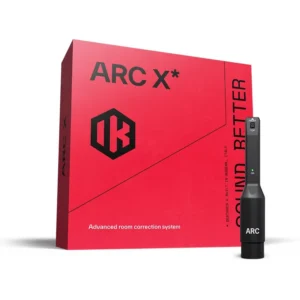
IK Multimedia ARC X Room Correction Software with Measurement Mic
 Acoustic Treatment & Room Correction, Studio & Recording, VST Plug-Ins
IK Multimedia ARC X Room Correction Software with Measurement Mic
- Measures your room and corrects frequency and phase problems at the listening position
- Flexible scans from a quick 1-point check to a detailed 21-point map
- Nine target curves plus Natural and Linear phase modes
- Virtual monitoring of 20+ reference monitors and playback systems
- Precision MEMS measurement microphone included
- AU, VST3 and AAX plug-in for Mac and Windows
SKU: IKMT_AC-X-HCD-IN